

Create a branch
From Administration you can create a new branch and fill in its key information to start operating.
-
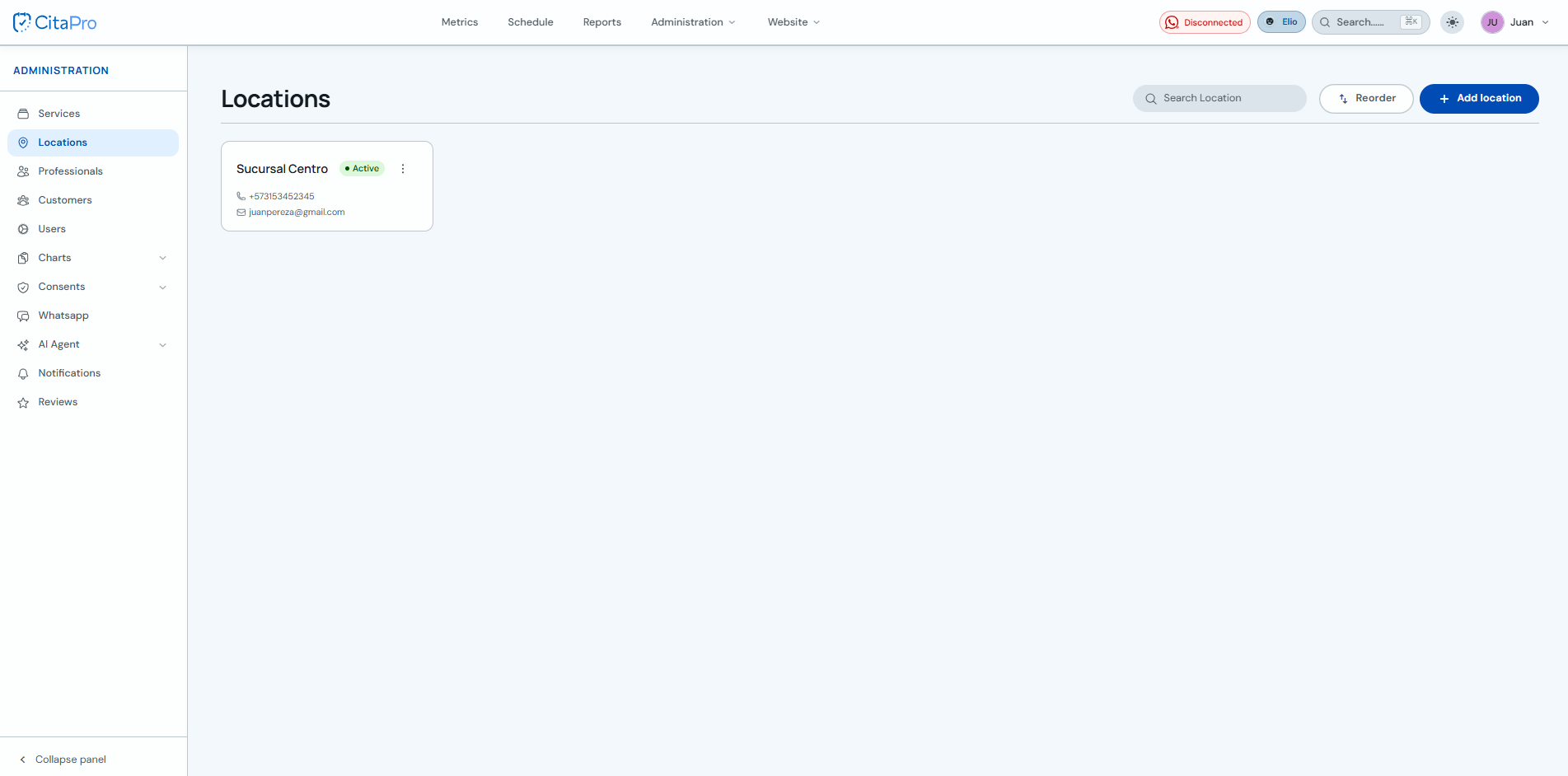
Go to Administration → Branches and click "New branch".
-
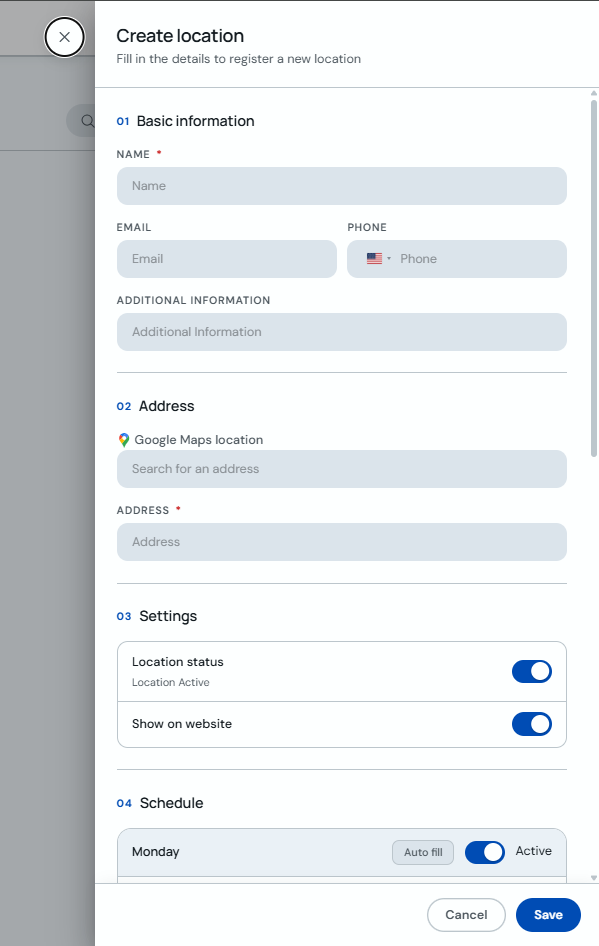
Fill in the branch general details, such as name, address, and contact information.
-
Set the required information and save to create the branch.
Use a clear name to distinguish each branch in reports and daily scheduling.