

-
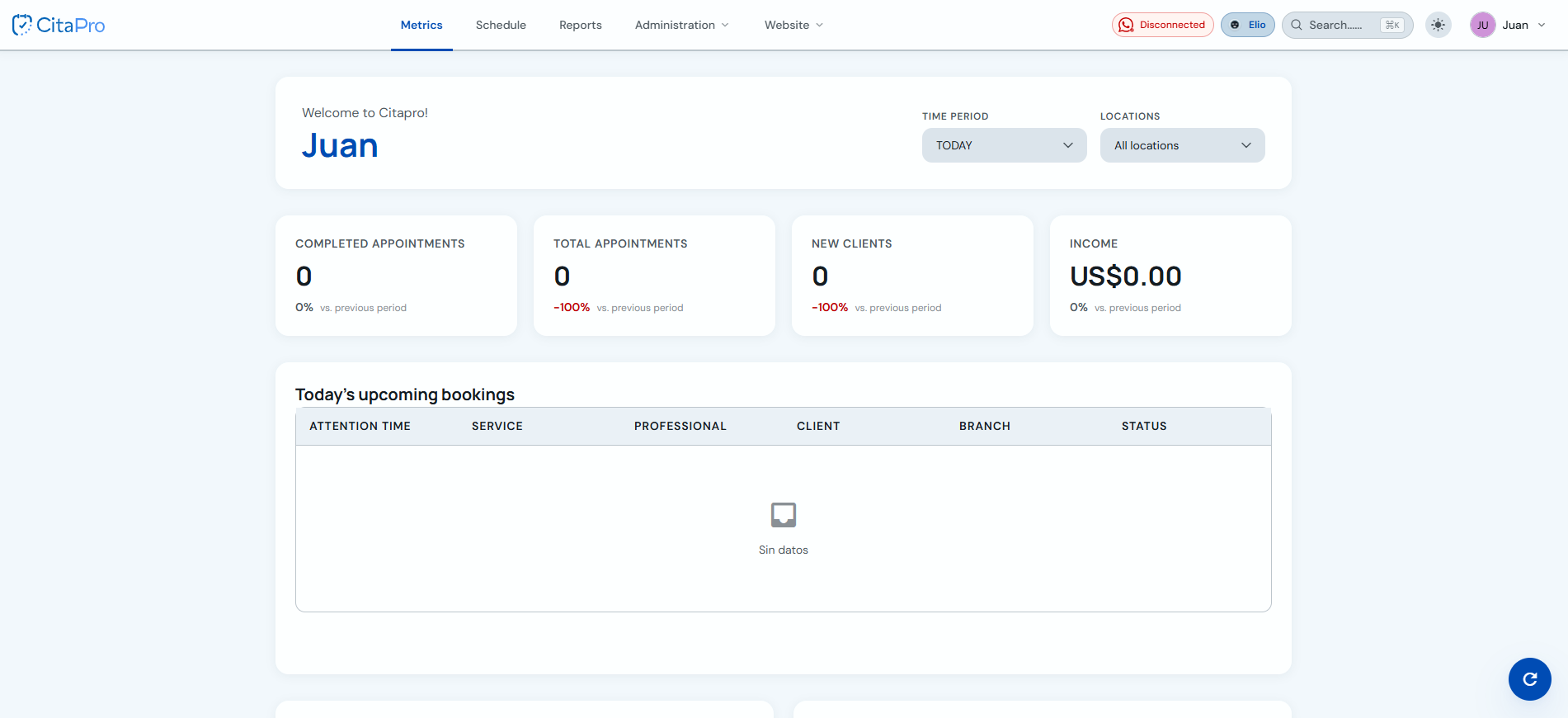
Go to the main menu: Menu → Metrics. Review the summary cards (completed appointments, total appointments, new clients and revenue) and filter by time period or branches. Below you'll see today's upcoming bookings.
-
Scroll down to view the charts: booked services, bookings by status, booking source and bookings over time.
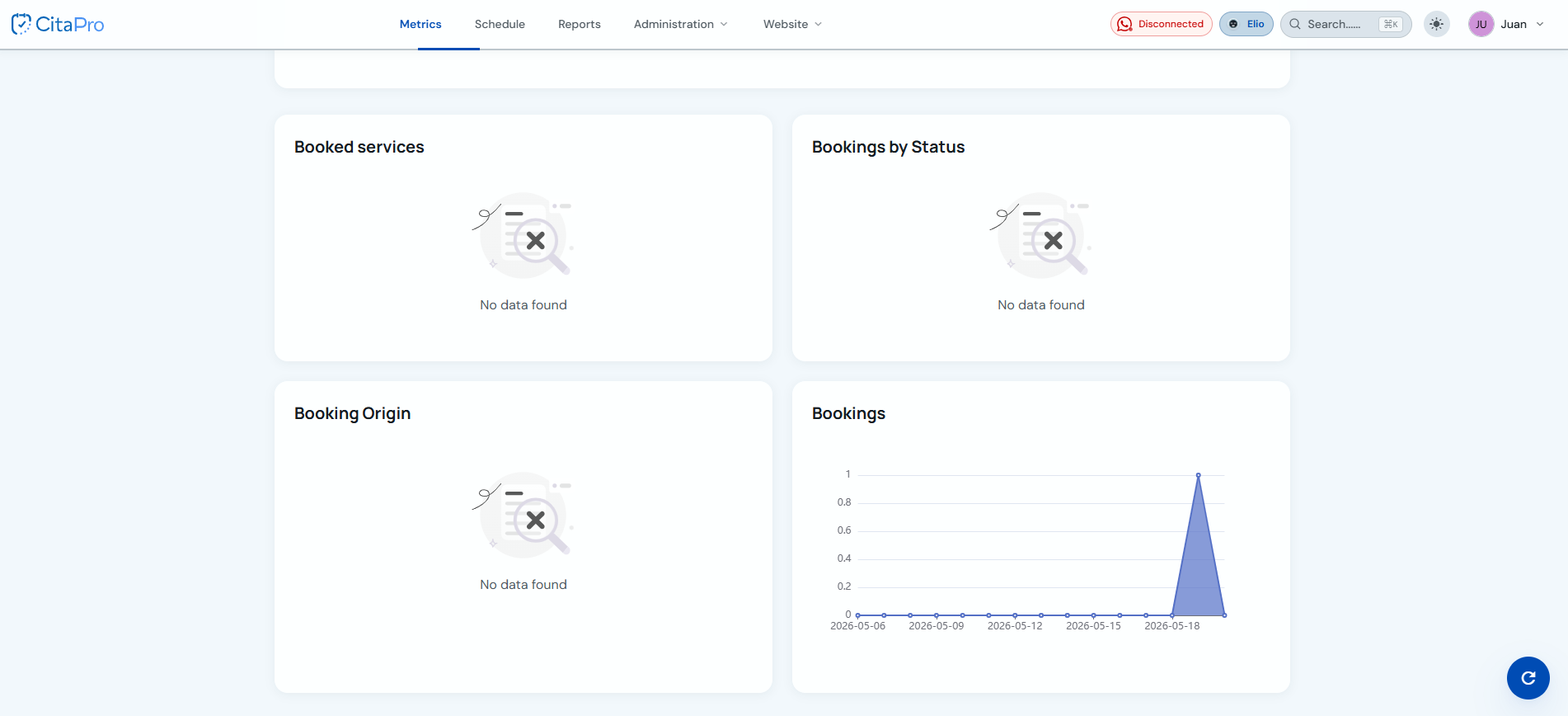
Use the refresh button in the bottom-right corner to update the dashboard data.