

-
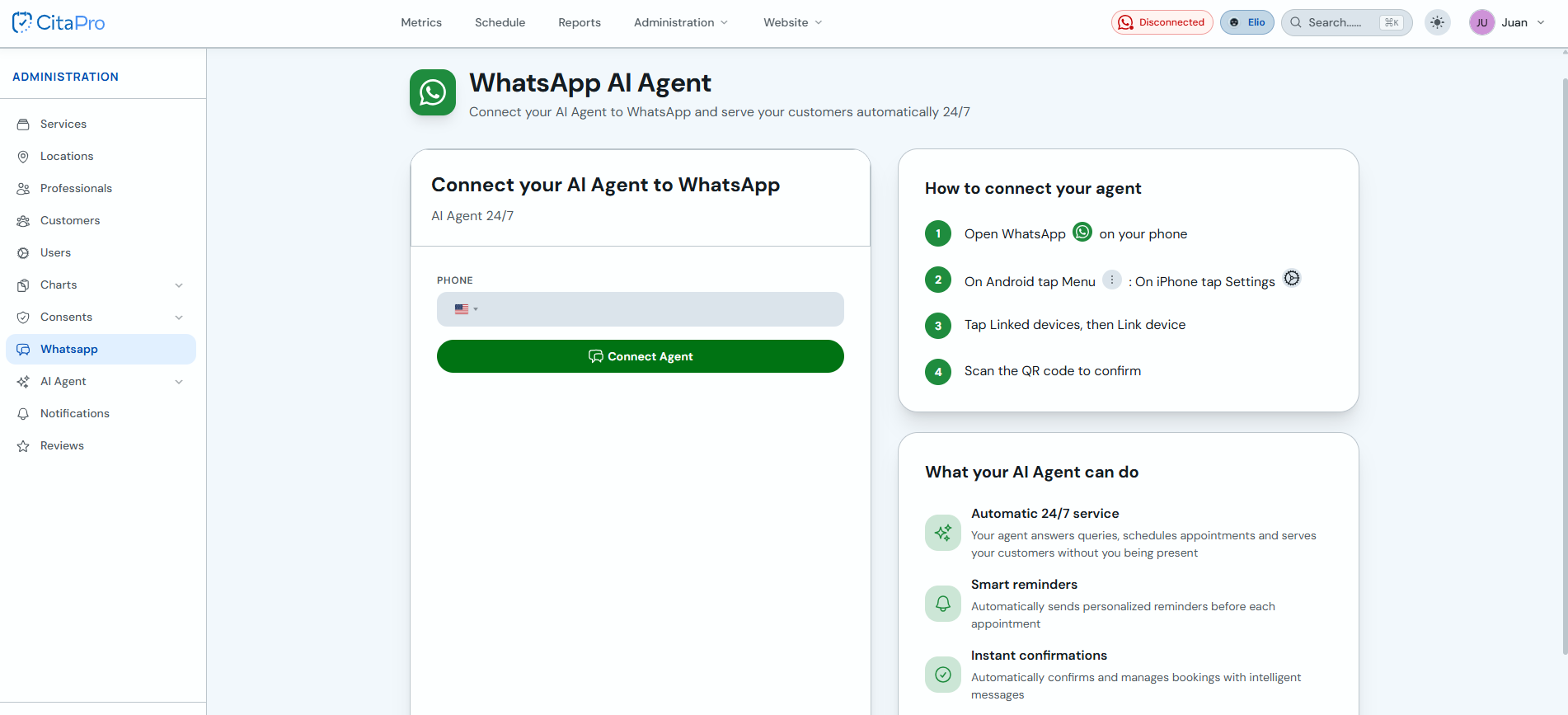
Go to Administration → WhatsApp (WhatsApp AI Agent). Enter your phone number with the country code and click "Connect Agent".
-
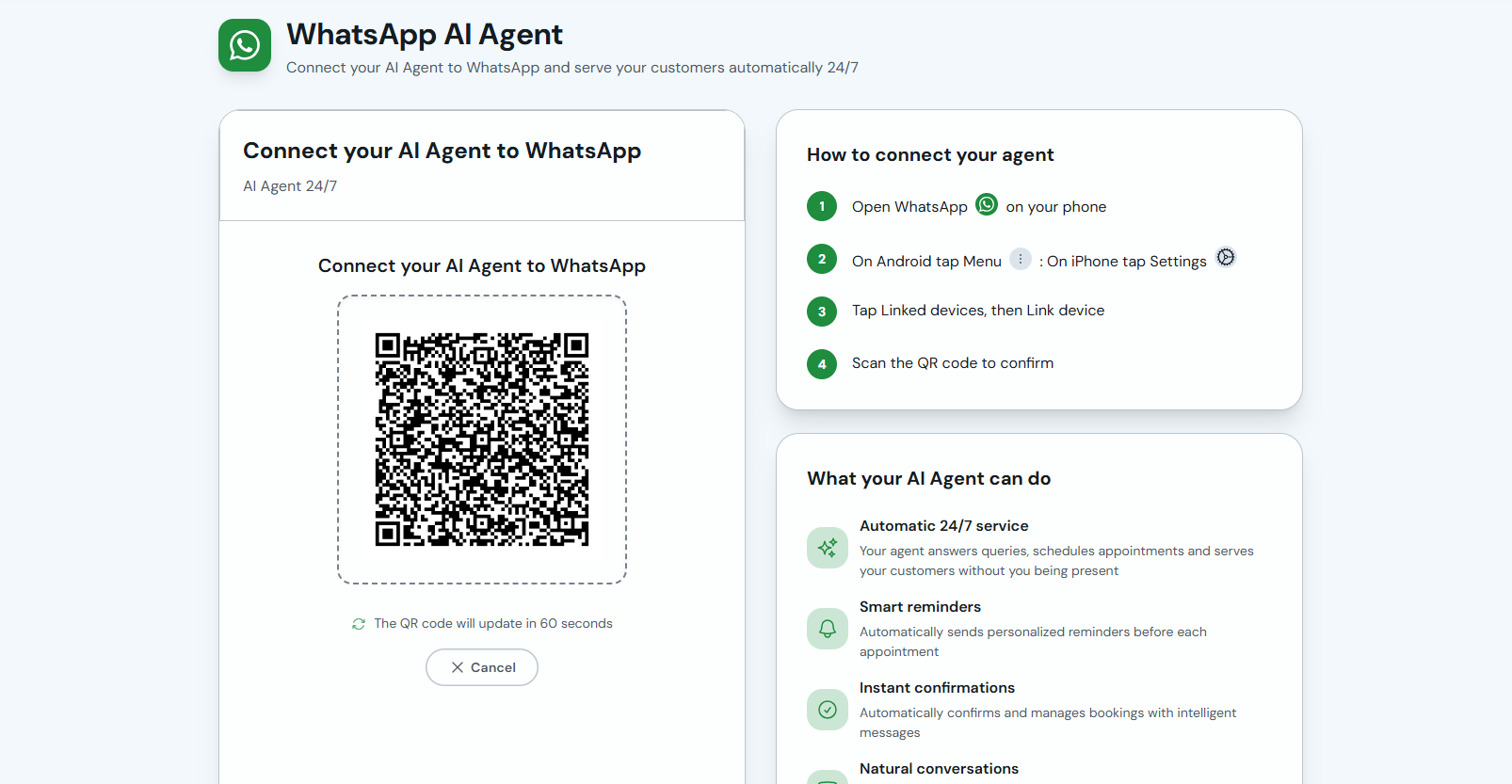
A QR code will appear. On your phone open WhatsApp → Menu (Android) or Settings (iPhone) → Linked devices → Link a device, and scan the code. The QR refreshes every 60 seconds if it expires.
-
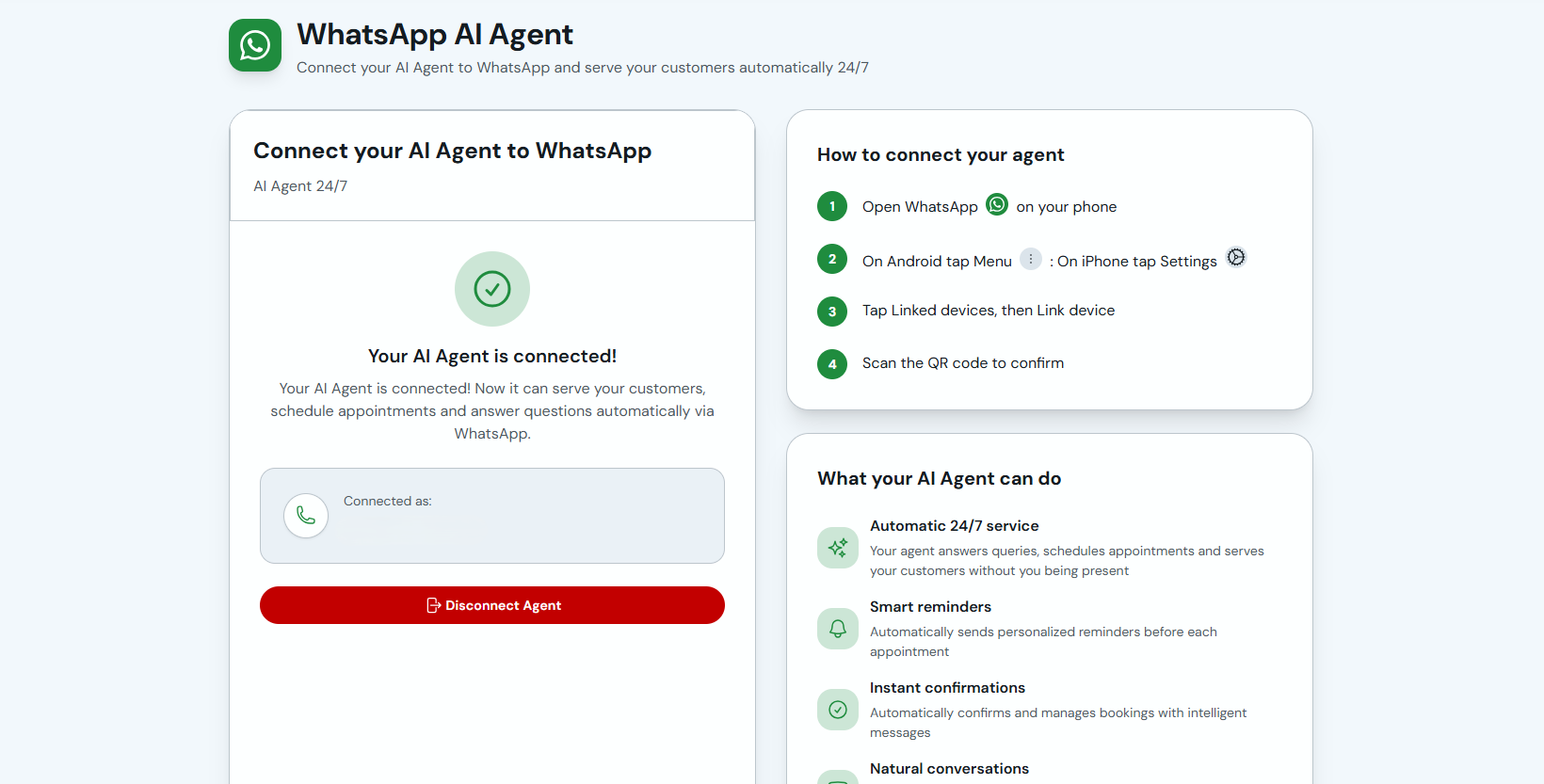
When the connection succeeds you'll see "Your AI Agent is connected". It can now handle inquiries, book appointments and send WhatsApp reminders.
Only use a WhatsApp Business number. Personal numbers can be blocked for bulk messaging.
The agent can provide 24/7 support, smart reminders before each appointment and automatic booking confirmations.