

Add a professional
From the CitaPro dashboard you can create professionals to handle appointments at your business. Each one gets their own profile, location and, if you choose, Google Calendar sync.
-
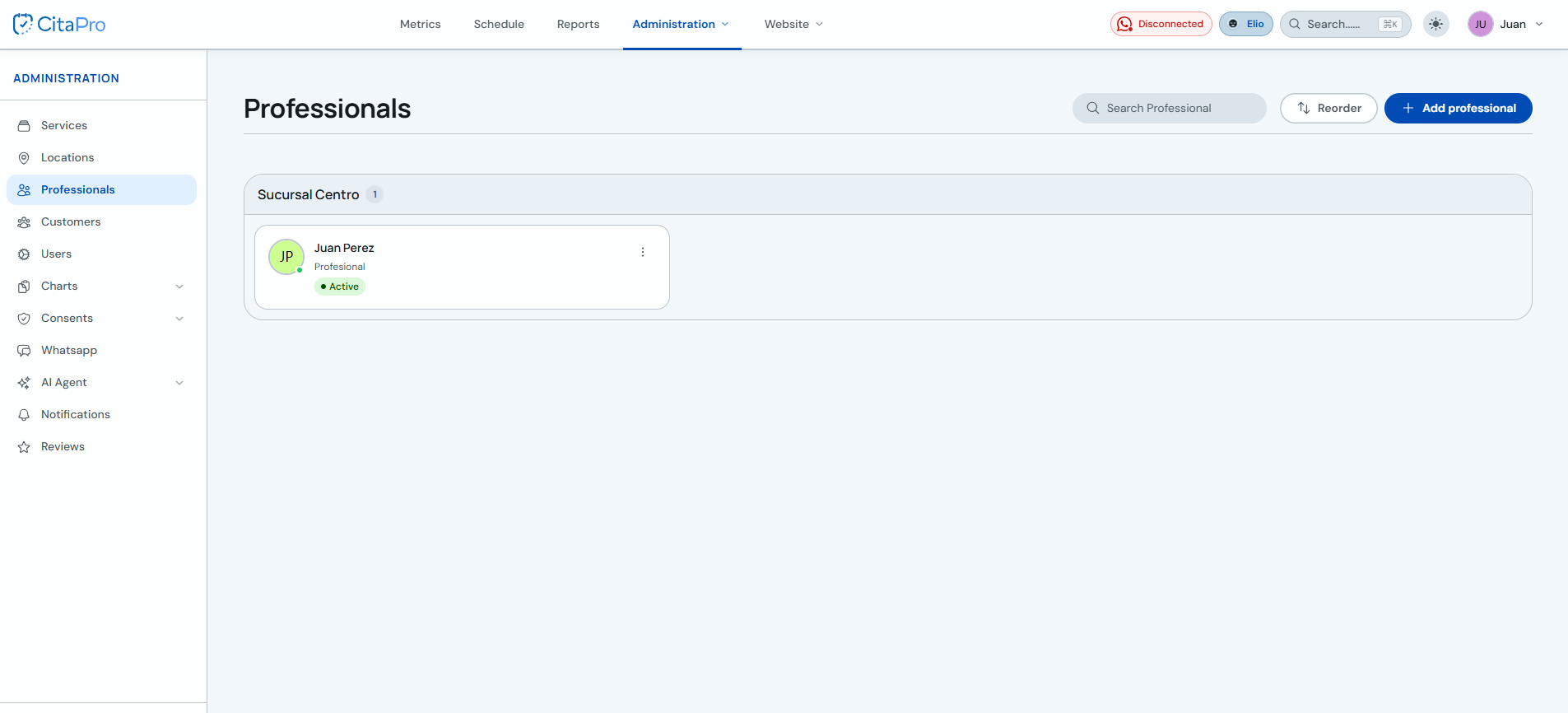
Go to Administration → Professionals and click "+ Add professional".
-
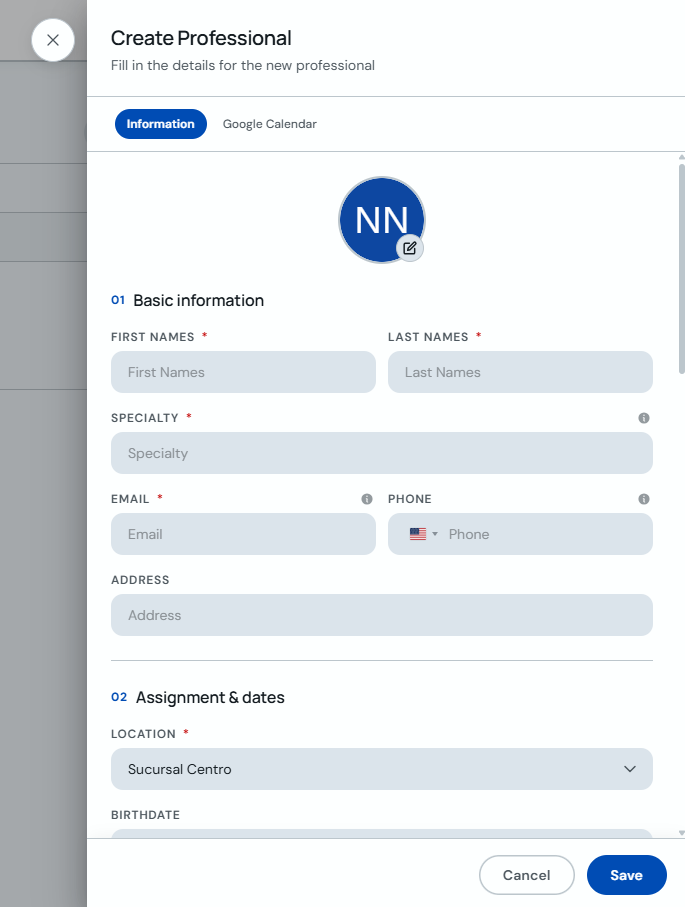
On the "Information" tab, fill in first name, last name, specialty, email, phone and location. Click "Save".
-
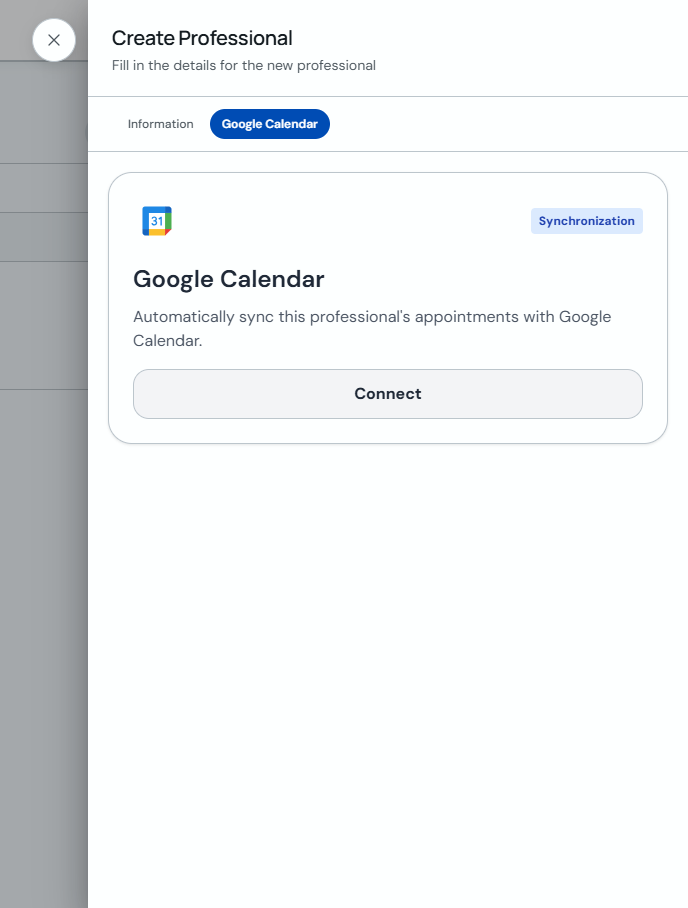
Optional: on the "Google Calendar" tab, click "Connect" to sync that professional's appointments with their calendar.
-
Assign the professional's services and schedule so they can receive appointments on the calendar.
The maximum number of professionals depends on your plan. On the Free plan you can have up to 2 professionals.