

Deactivate a professional
You can change a professional's status from Administration. When deactivated, their profile is kept, but they stop being available for new appointments.
-
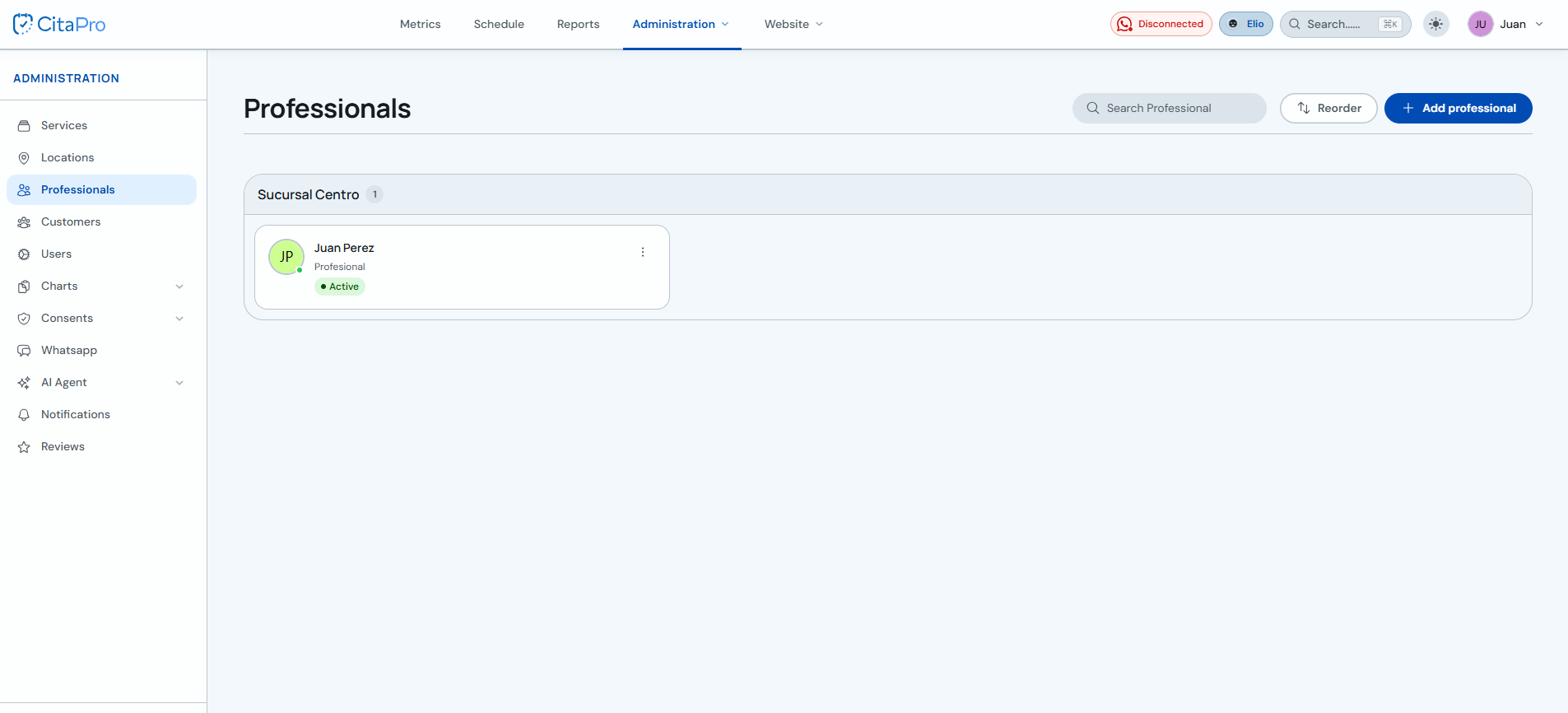
Go to Administration → Professionals and find the professional you want to deactivate.
-
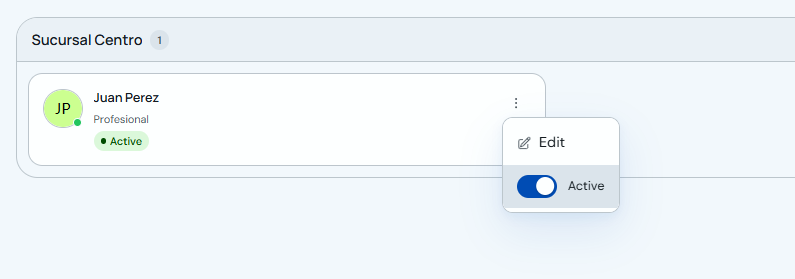
Open the professional three-dot menu and turn off the "Active" switch.
-
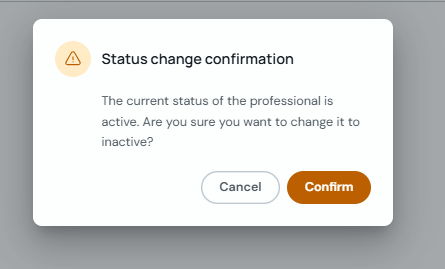
Confirm the status change to switch the professional from active to inactive.
Deactivating a professional does not delete their history or settings. You can turn them back on from the same switch whenever needed.