

Booking website
Your public minisite lets clients book online 24/7. Under "Booking Website" you control how it looks and what options it offers.
-
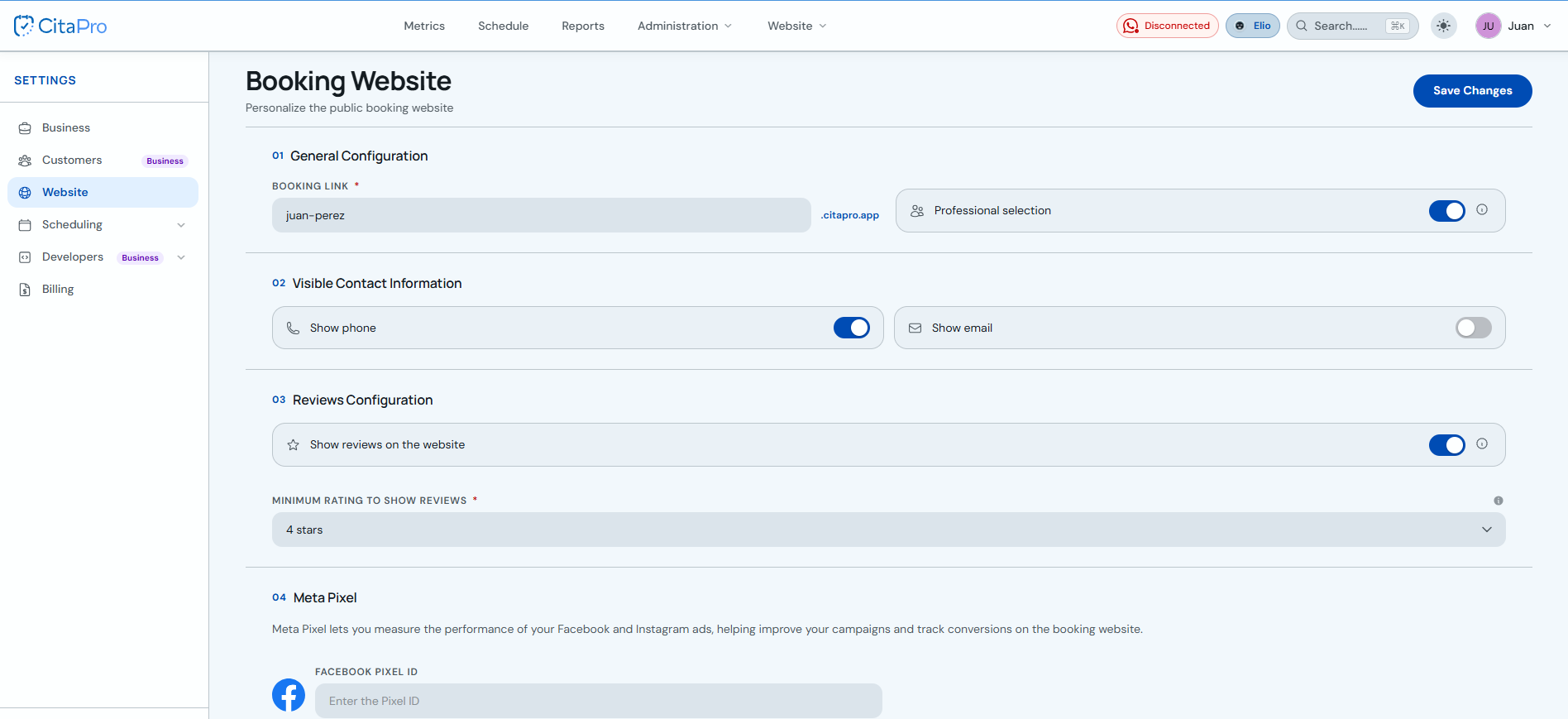
Go to Settings → Website.
-
Under "General configuration", set your booking link slug (e.g. your-business.citapro.app) and turn "Professional selection" on or off so clients can pick who serves them.
-
Under "Visible contact information", choose whether to show phone and/or email on the public page.
-
Under "Review configuration", enable "Show reviews on the website" and pick the minimum rating (e.g. 4 stars) to filter which reviews appear.
-
Optional: under "Meta Pixel", paste your Facebook Pixel ID to track visits and conversions from your ads.
-
Click "Save Changes" to publish the settings.
Share your booking link on Instagram, WhatsApp or your own site. A short, memorable slug makes it easier for clients to find you.