

Credits and additional conversations
Credits cover additional AI Agent conversations once you exceed the conversations included in your plan.
-
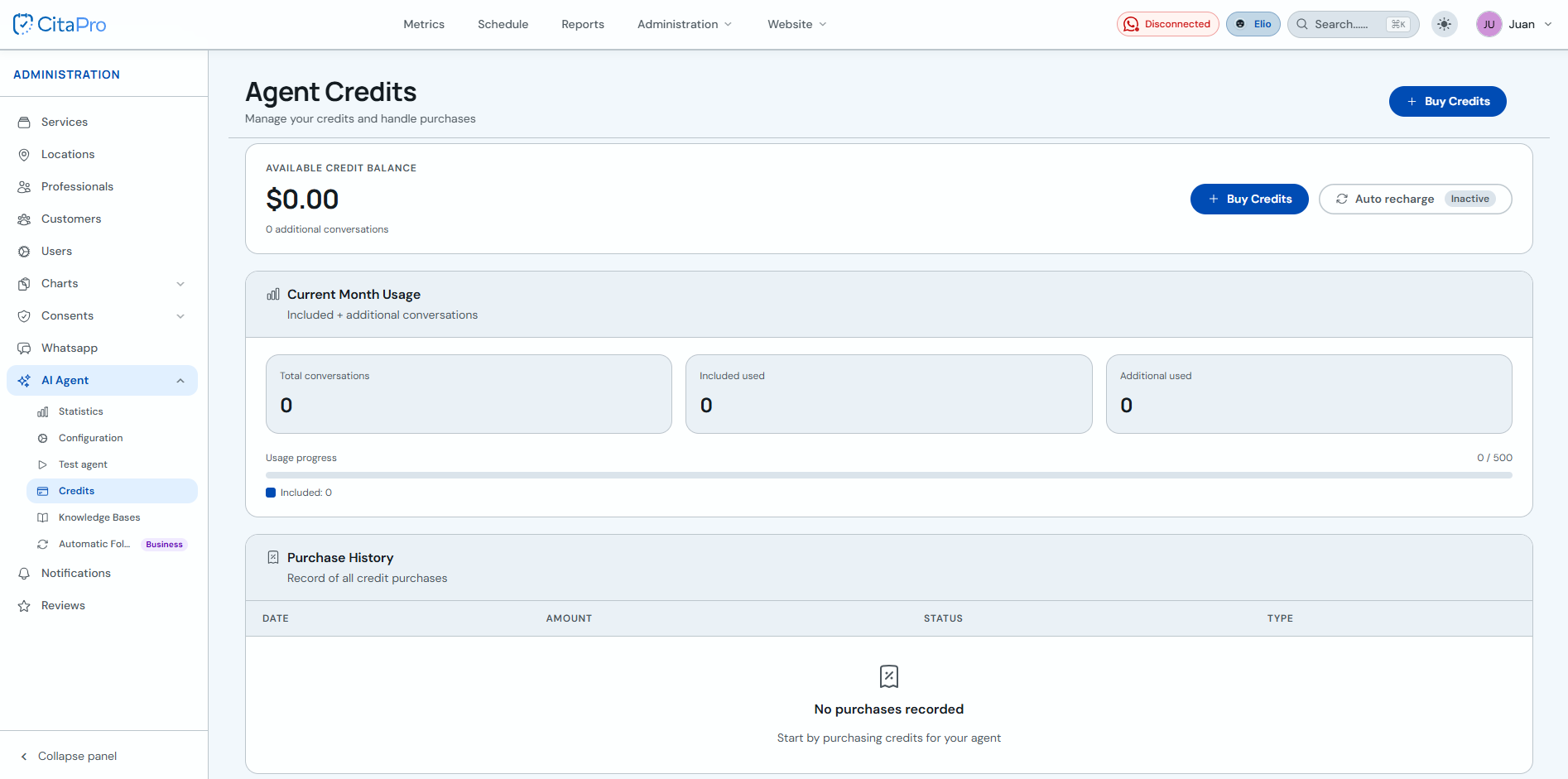
Go to Administration → AI Agent → Credits. Review the available balance, current month usage and purchase history.
-
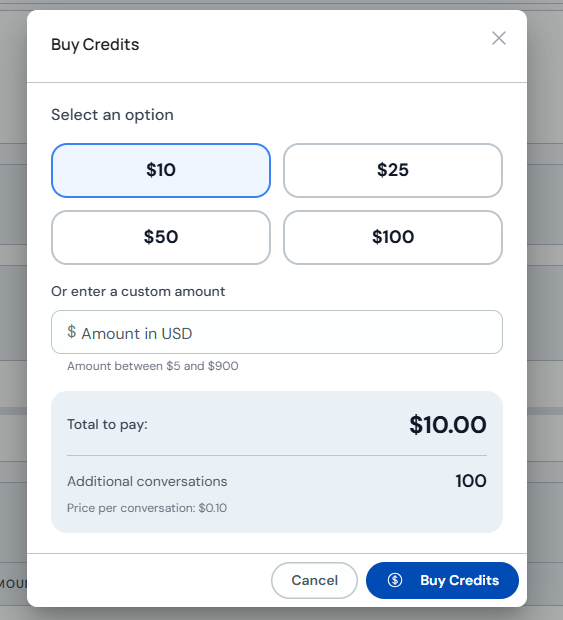
Click "Buy Credits". Select a suggested amount ($10, $25, $50 or $100) or enter a custom amount. Review the total to pay and additional conversations before confirming.
-
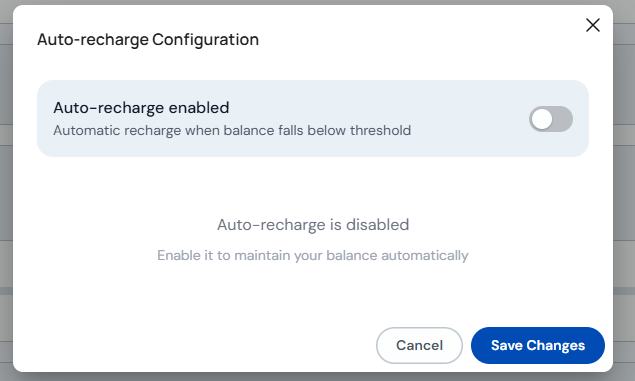
Optional: open "Auto-recharge" to enable automatic recharges when the balance falls below the configured threshold. Adjust the option and click "Save Changes".
Use purchase history to audit previous top-ups. If your balance reaches zero, the agent may stop covering additional conversations outside your plan.