

Train the agent with your own content
Knowledge bases feed the AI Agent with business information: policies, services, frequent answers and files it can send when appropriate.
-
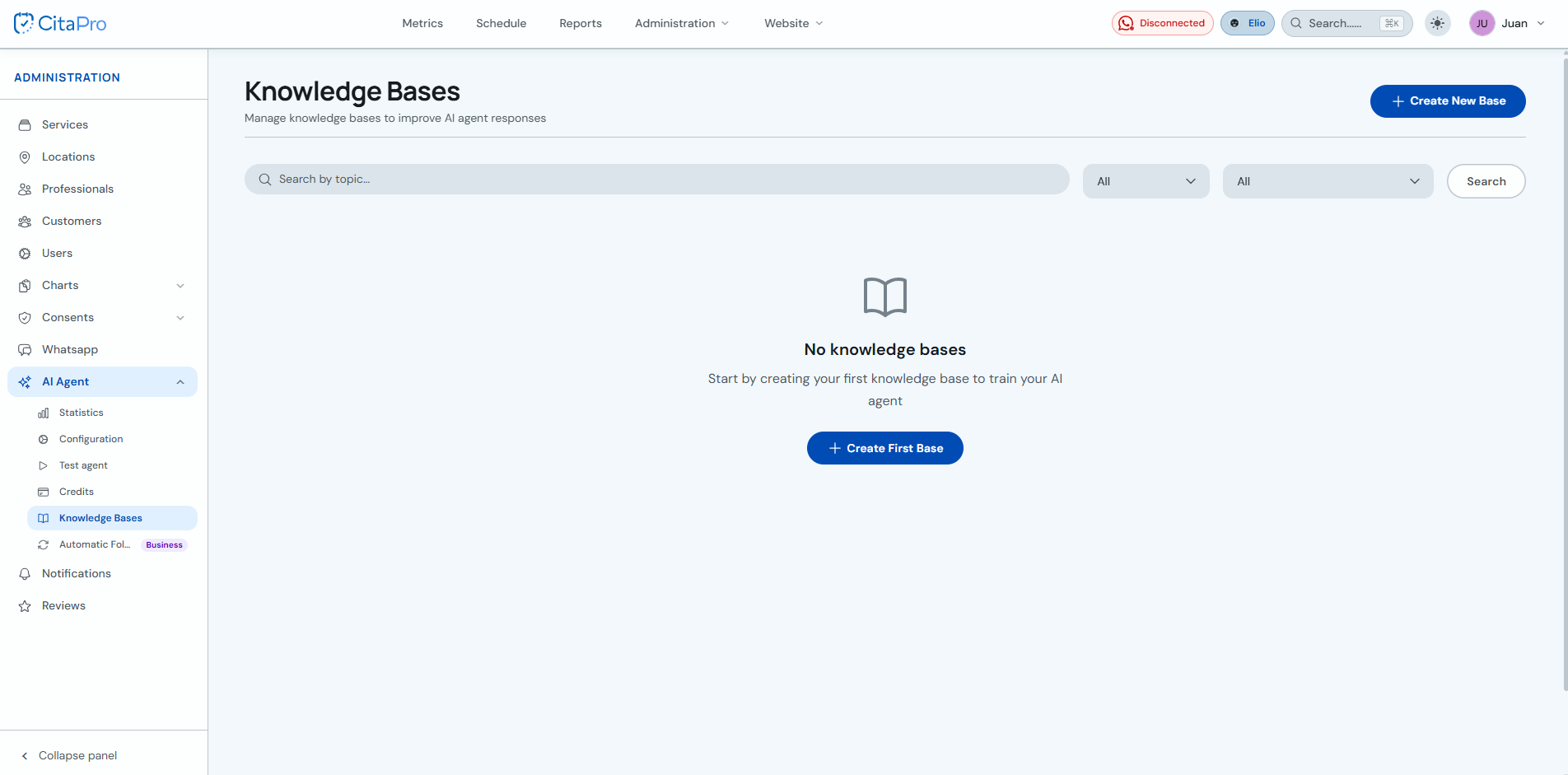
Go to Administration → AI Agent → Knowledge Bases. Click "Create New Base" or "Create First Base" if you do not have any yet.
-
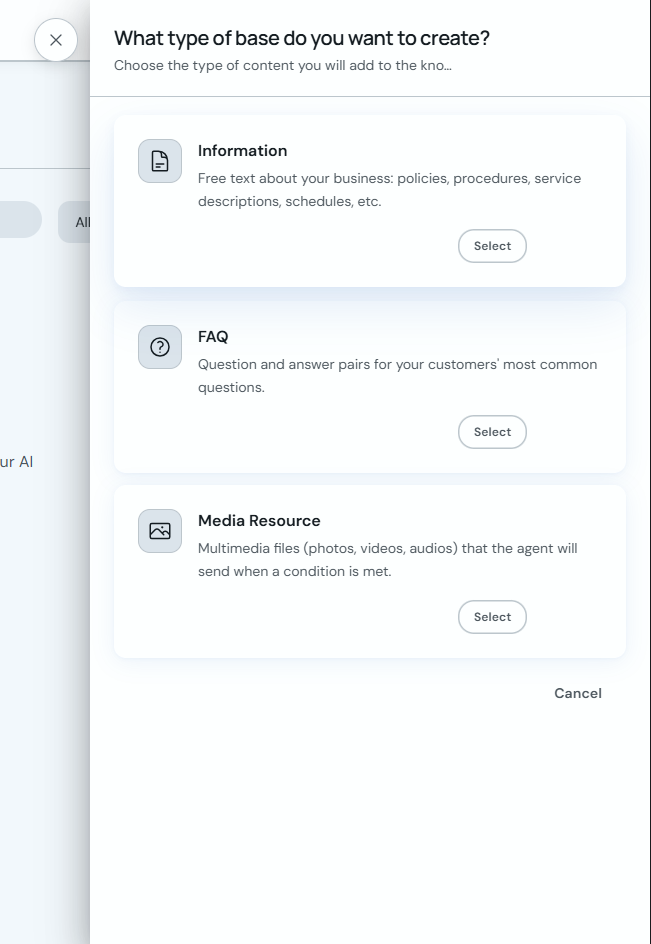
Choose the type of base you want to create: "Information" for free text, "Frequently Asked Questions" for question/answer pairs, or "Multimedia Resource" for files the agent will send under a condition.
-
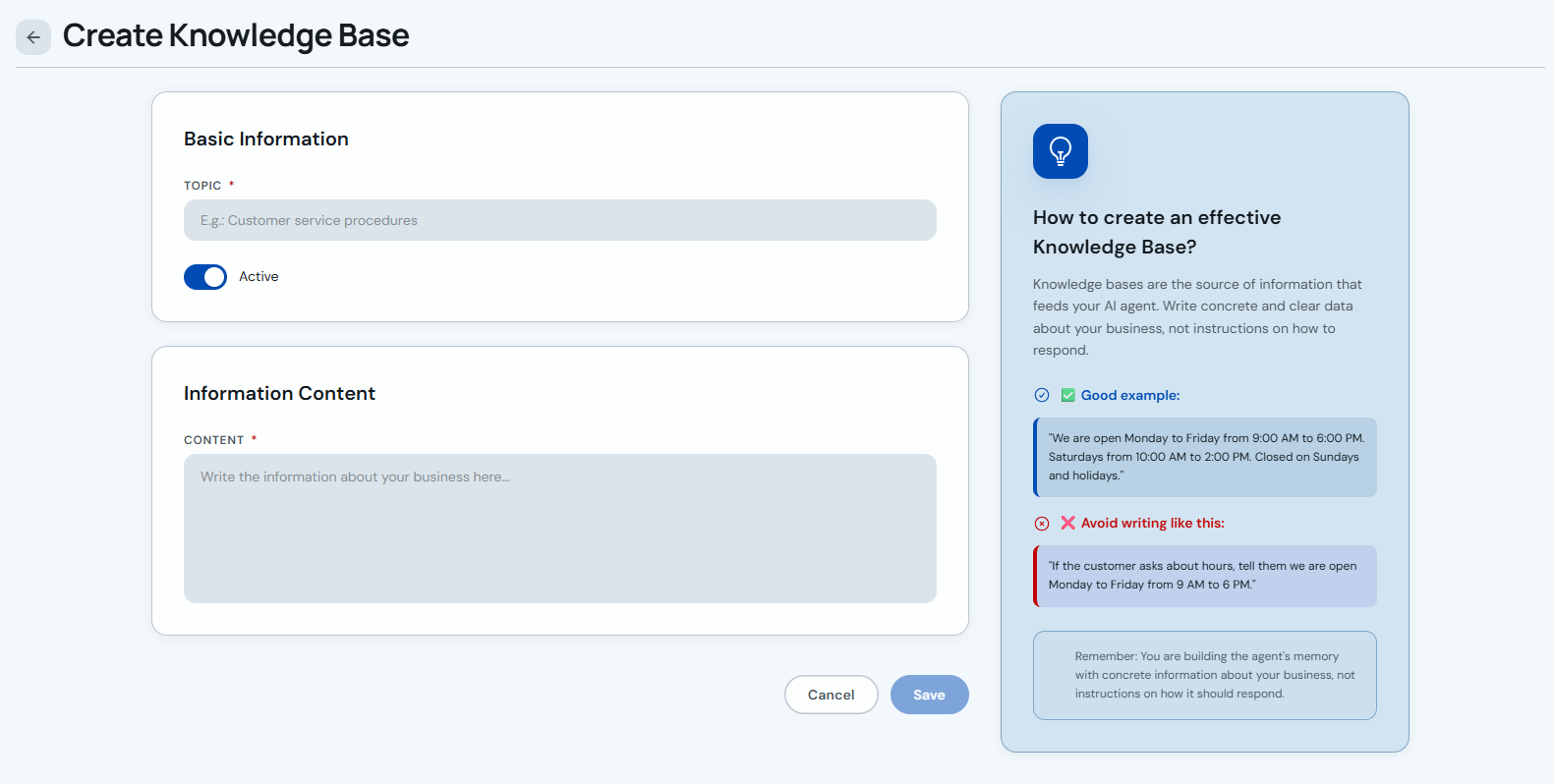
For an "Information" base, enter the topic, keep the base active if you want the agent to use it, and add clear content about policies, procedures, hours or services. Click "Save".
-
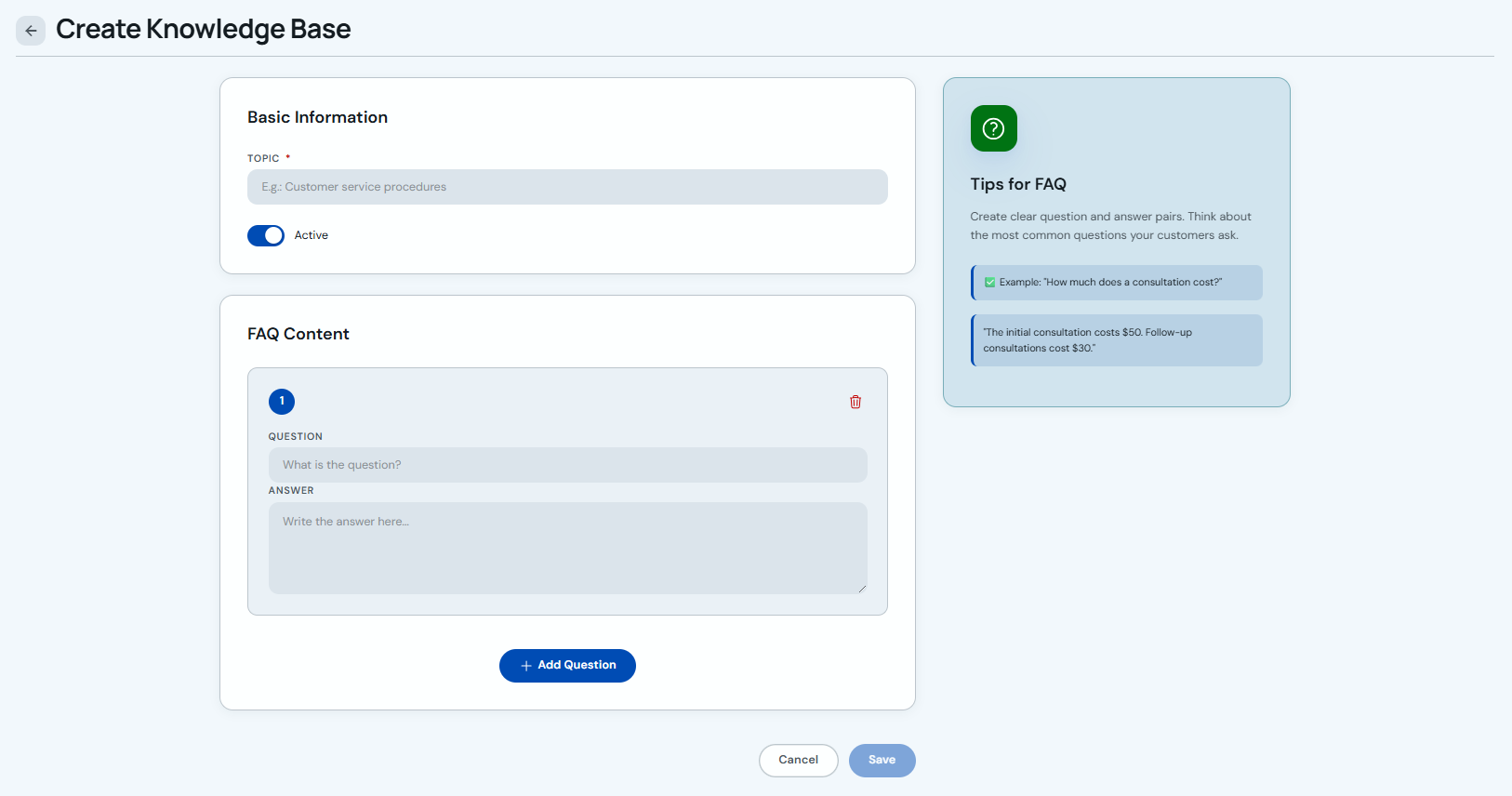
For "Frequently Asked Questions", enter the topic and create one or more questions with their exact answer. Use "Add Question" if you need more question and answer pairs.
-
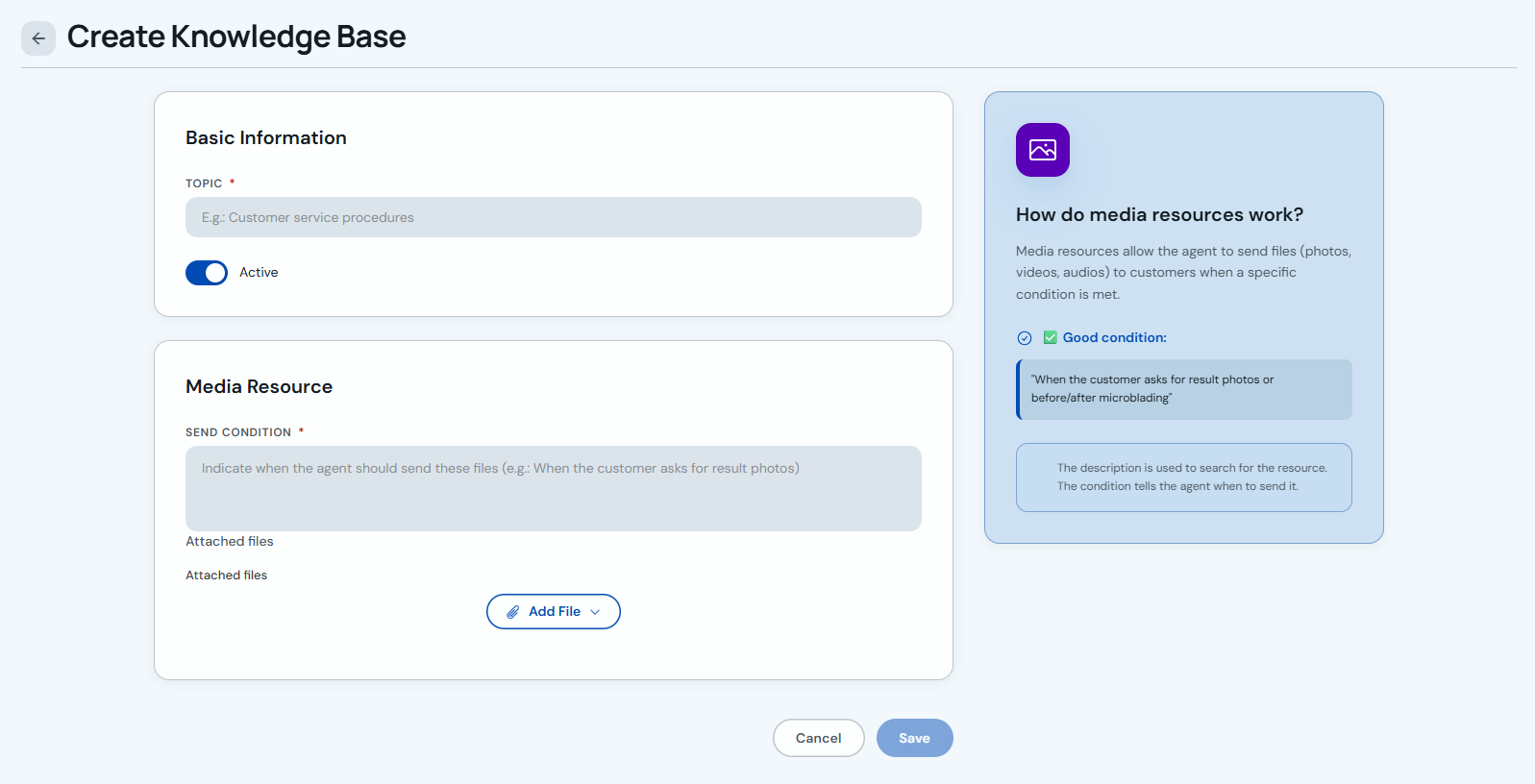
For "Multimedia Resource", define the send condition: when the agent should send the files, for example when the client asks for result photos or specific instructions.
-
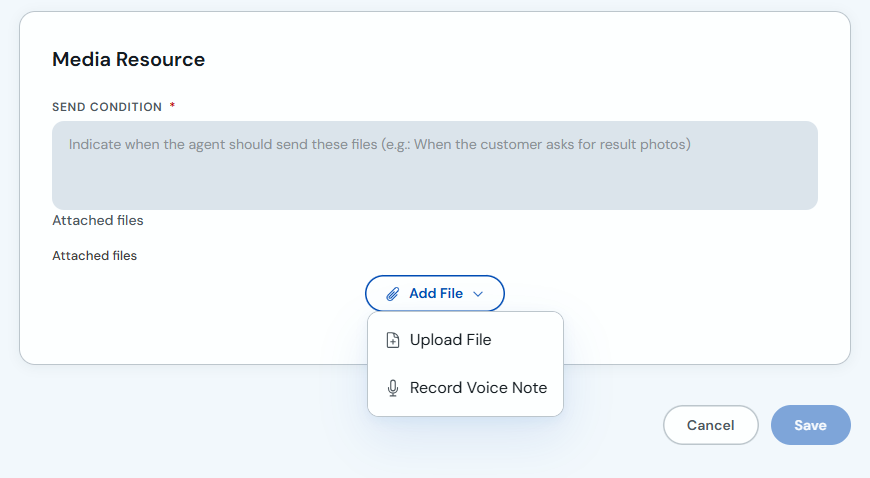
Click "Add File" to upload a file or record a voice note. Then save the base so it becomes available to the AI Agent.
Write knowledge bases as concrete facts, not broad instructions. For example: hours, prices, policies and ready-to-use answers.