

New appointment from the calendar
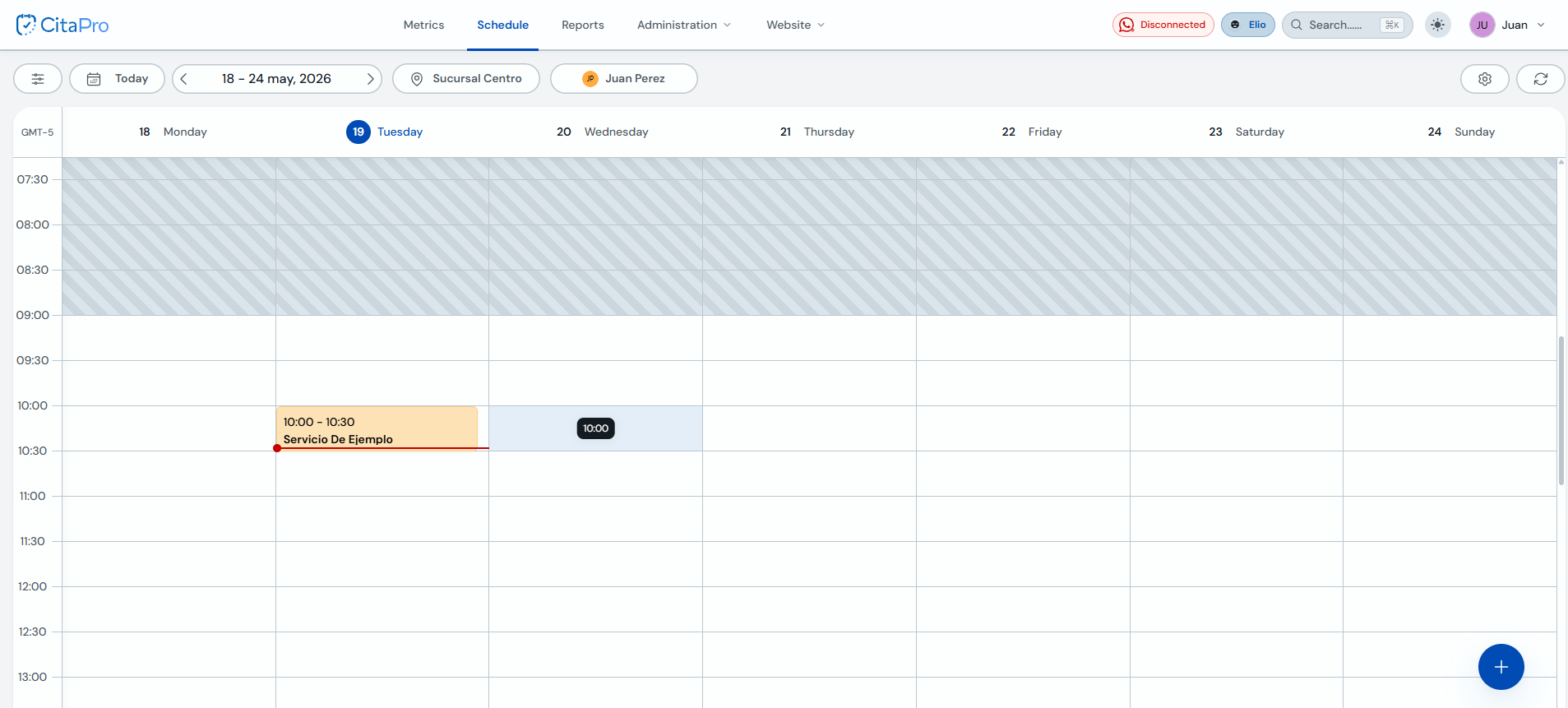
In the Agenda view you can create appointments manually by clicking an open time slot or using the "+" button in the bottom-right corner.
-
Go to Agenda and click the open time slot where you want to schedule the appointment.
-
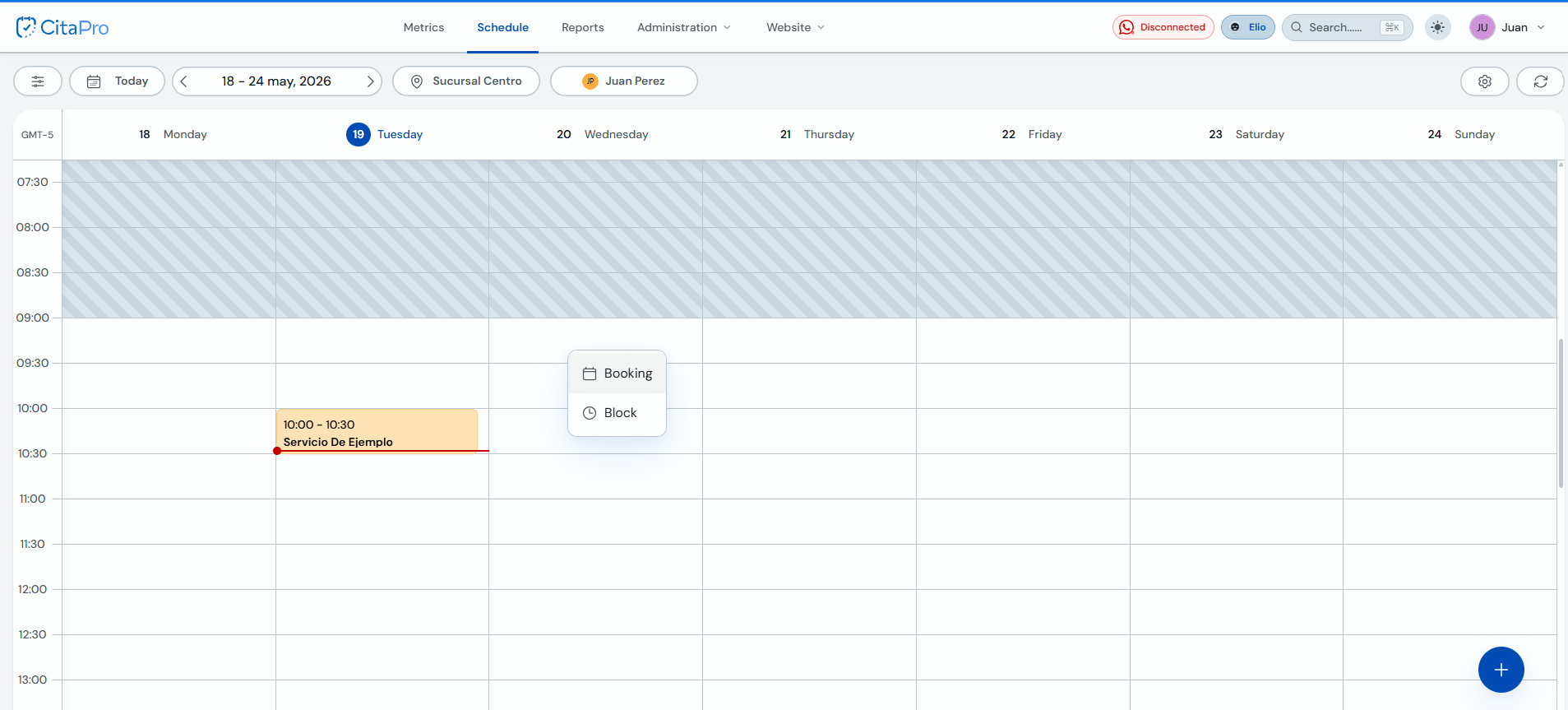
In the menu that appears, select "Booking". The same menu appears whether you click an open time slot or the blue "+" button.
-
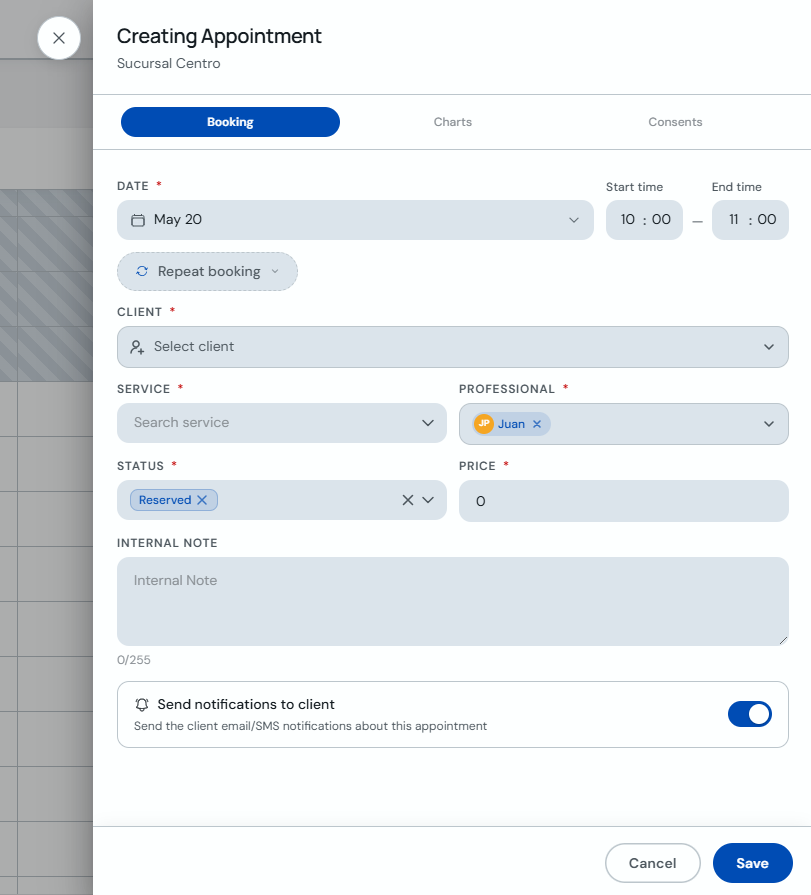
In "Creating Appointment", choose the client, service and professional. Review the date, start and end time, turn on notifications if needed and click "Save".
You can also drag and drop an appointment to another time slot on the calendar. If the slot should be unavailable, use "Block" instead of "Booking".