

Scheduling rules
Under "Scheduling Configuration" you define the times and restrictions that apply when a client books on your minisite or when you schedule from the dashboard.
-
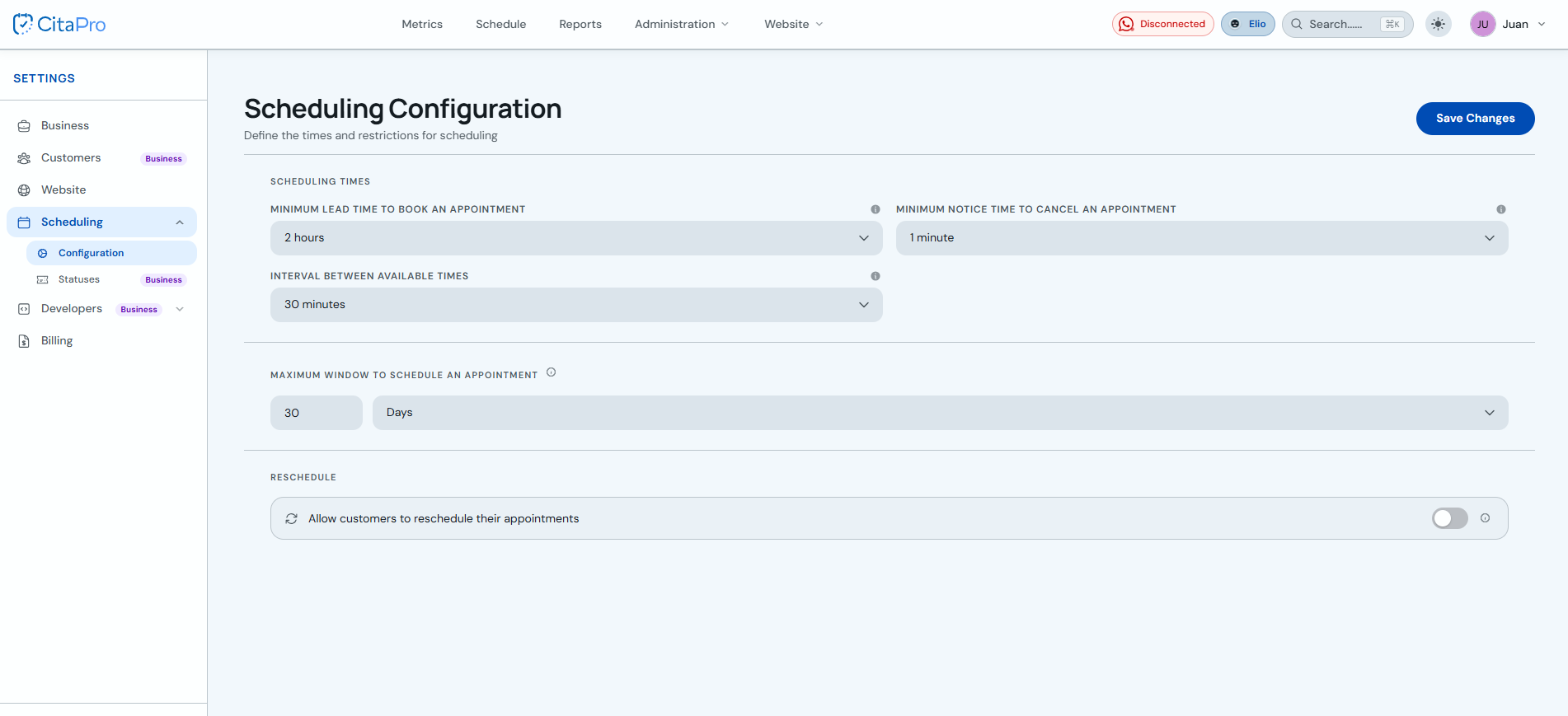
Go to Settings → Scheduling → Configuration.
-
Under "Scheduling times", set the minimum margin to book an appointment, the minimum notice to cancel, and the interval between available time slots (e.g. every 30 minutes).
-
Under "Maximum margin to schedule an appointment", choose how many days (or another unit) ahead clients can book.
-
Under "Rescheduling", turn on or off "Allow clients to reschedule their appointments" as you prefer.
-
Click "Save Changes" to apply the settings.
A higher minimum margin (e.g. 2 hours) prevents last-minute bookings. The slot interval should match the typical length of your services.