

Block from the calendar
Time blocks prevent appointments from being booked in a specific slot. You can create them as a simple (one-day) or frequent (recurring) block.
-
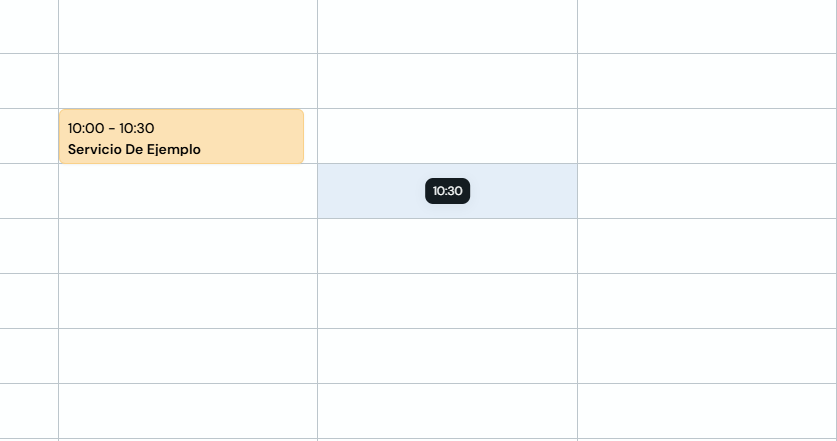
Go to Agenda and click the time slot you want to block.
-
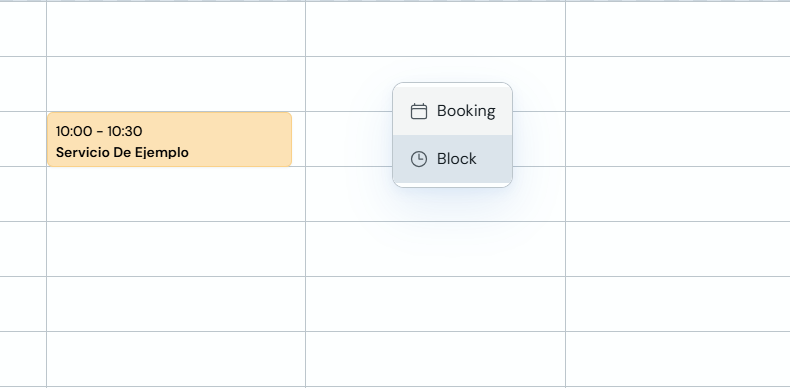
In the menu that appears, select "Block".
-
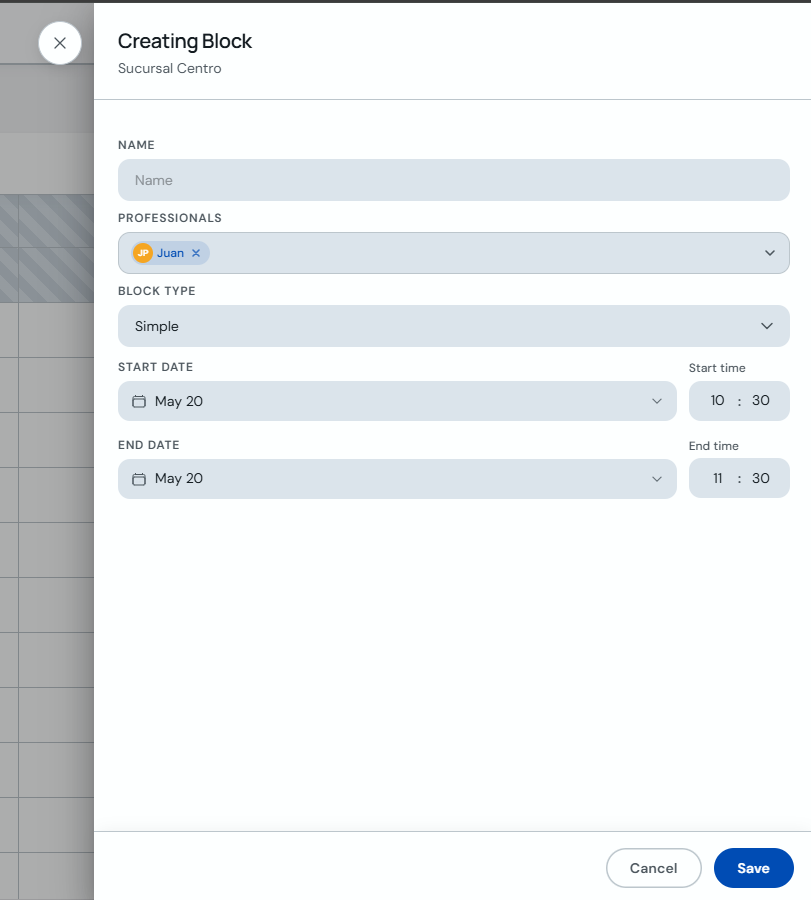
In "Creating Block", enter a name, choose the professional, keep the type as "Simple" and set the start and end date and time. Click "Save".
-
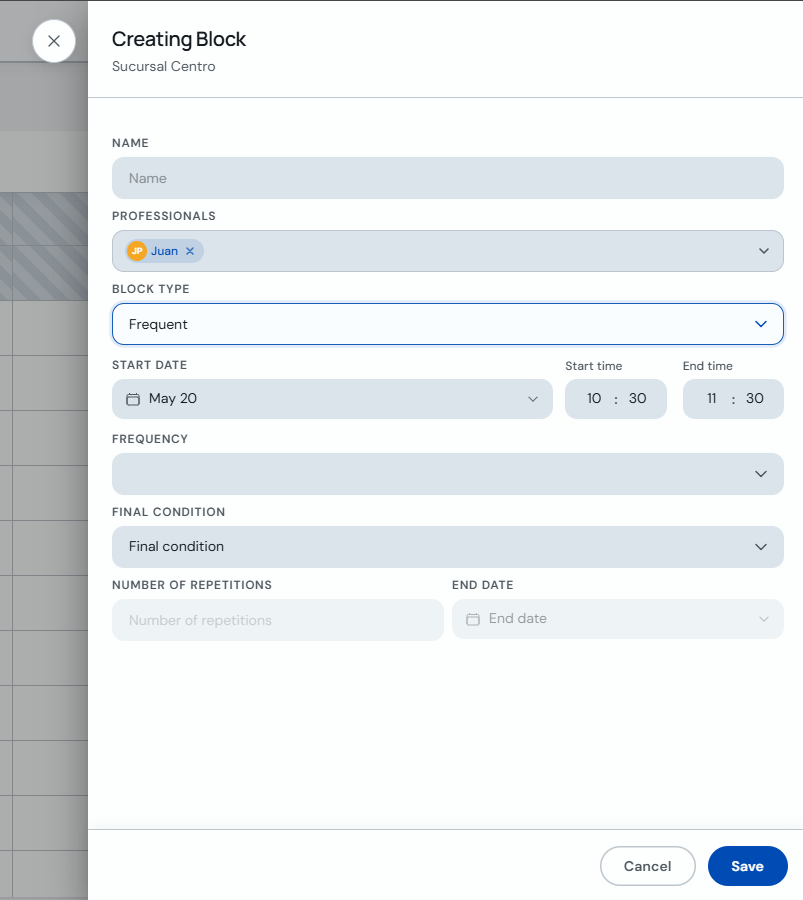
For a recurring block, change the type to "Frequent", set the frequency, end condition or number of repetitions, and save.
Clients won't be able to book during blocked slots. The block is not shown on your public booking page.