

Create from Administration
-
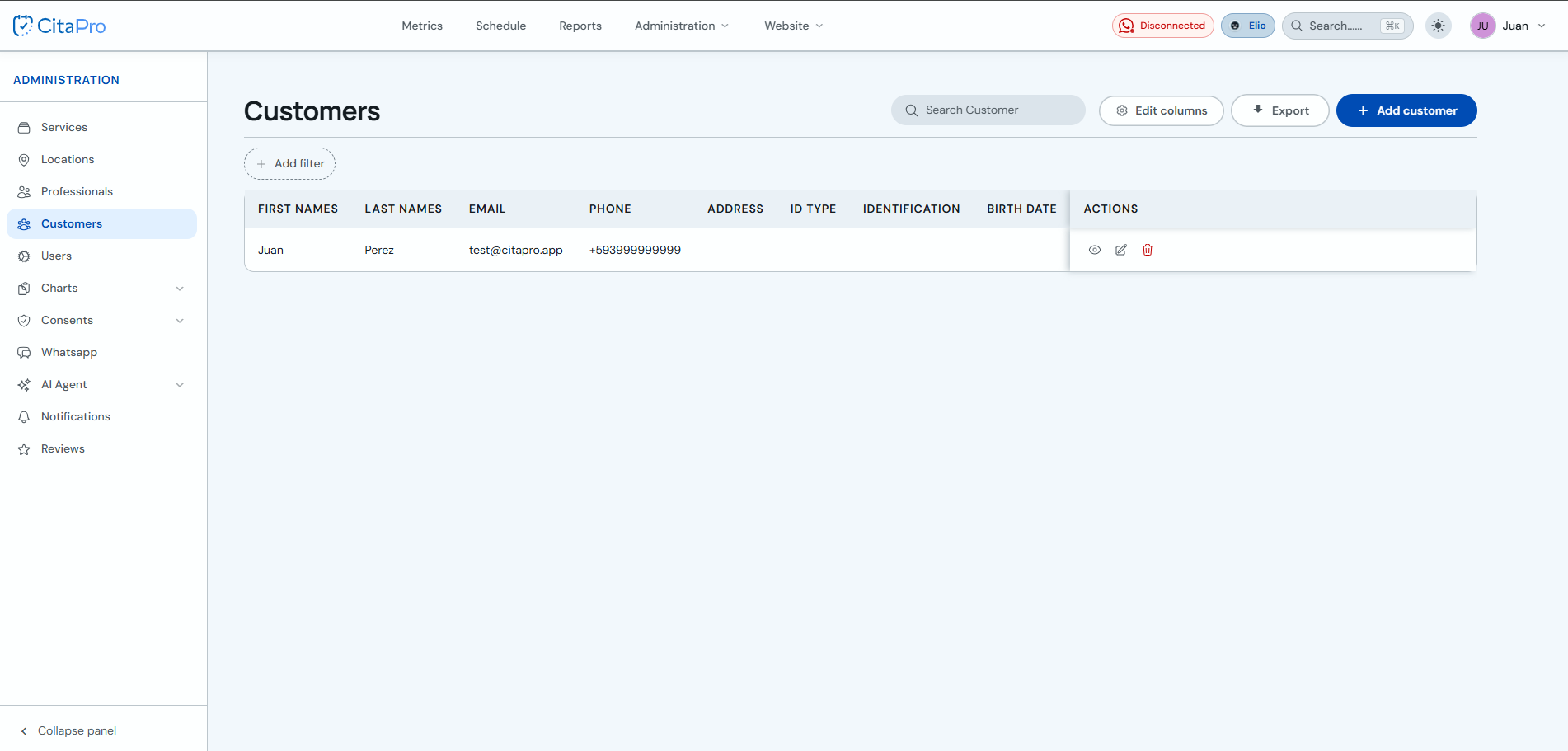
Go to the Clients section and click "+ New client".
-
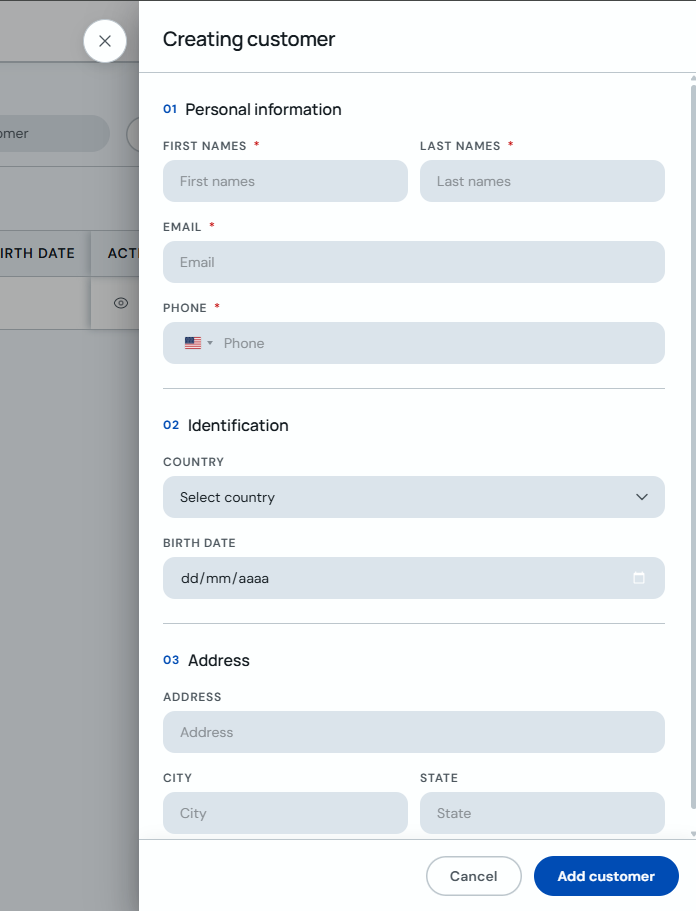
Fill in name, phone and email address. Add custom fields if needed and click "Save".
Create from the calendar
-
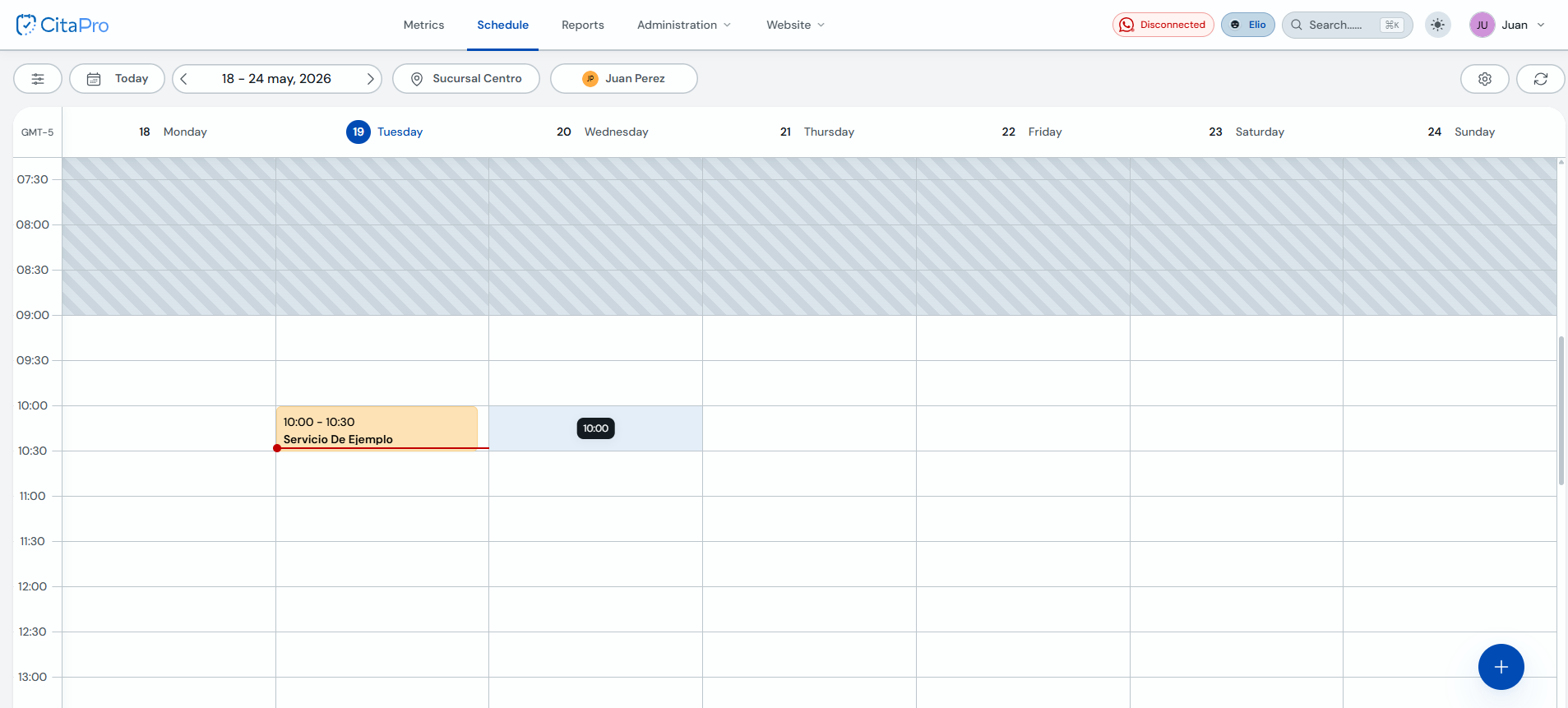
Go to Agenda and click an open time slot or the "+" button in the bottom-right corner.
-
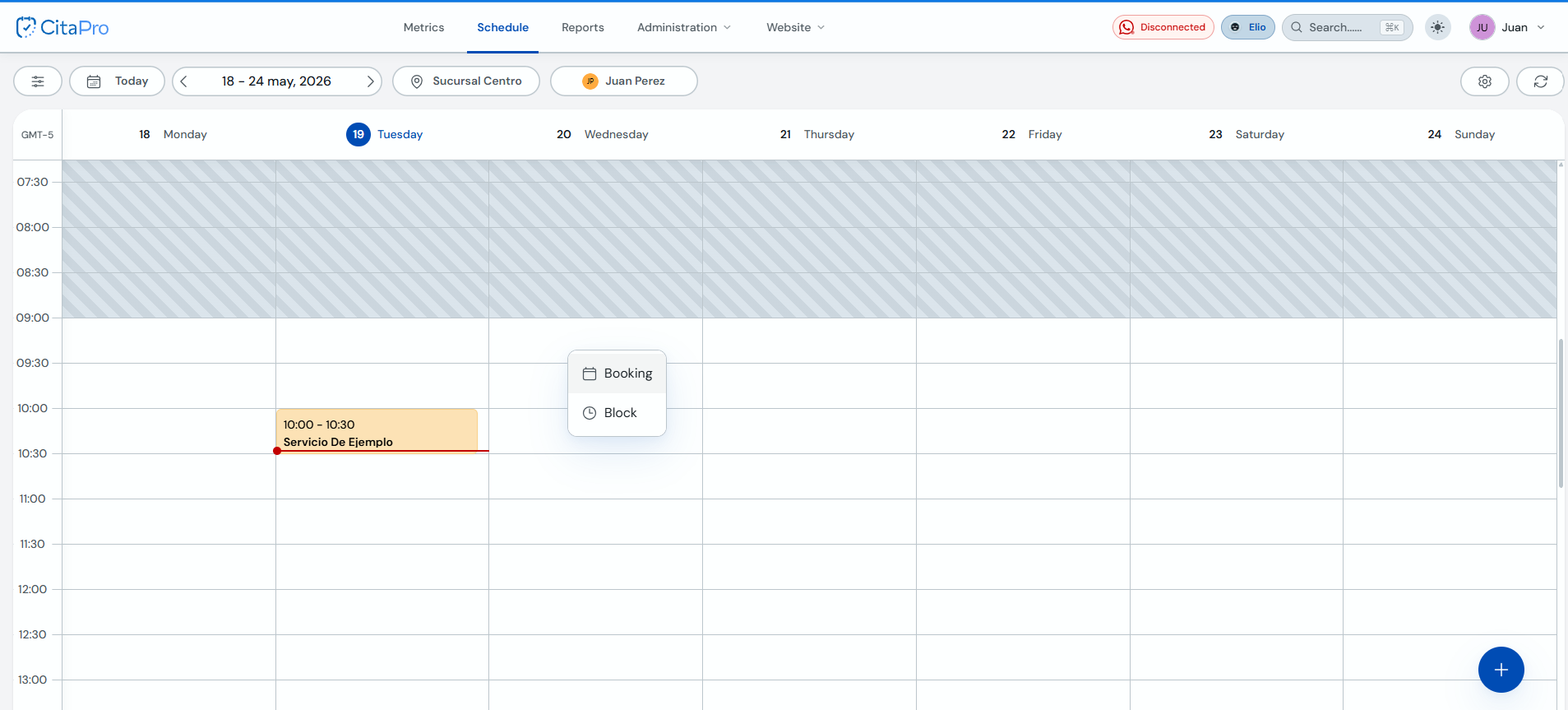
In the menu that appears, select "Booking".
-
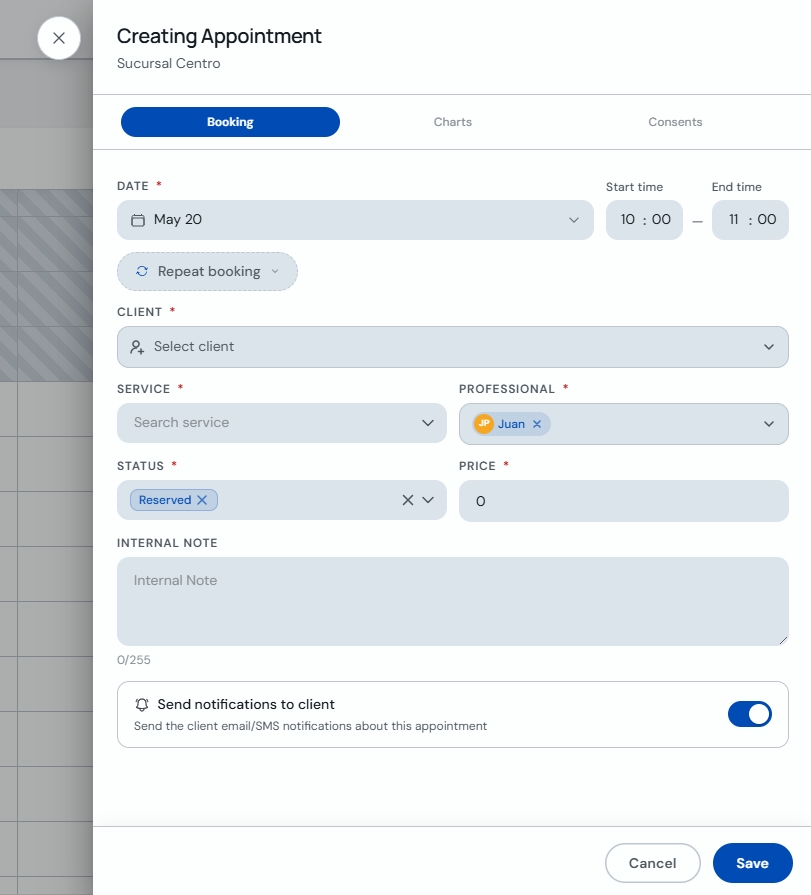
In "Creating Appointment", open the "Client" field.
-
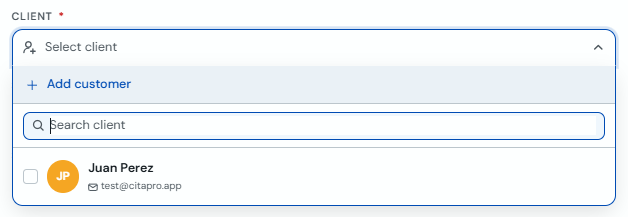
Click "+ Add client".
-
Fill in the client details and click "Add client".
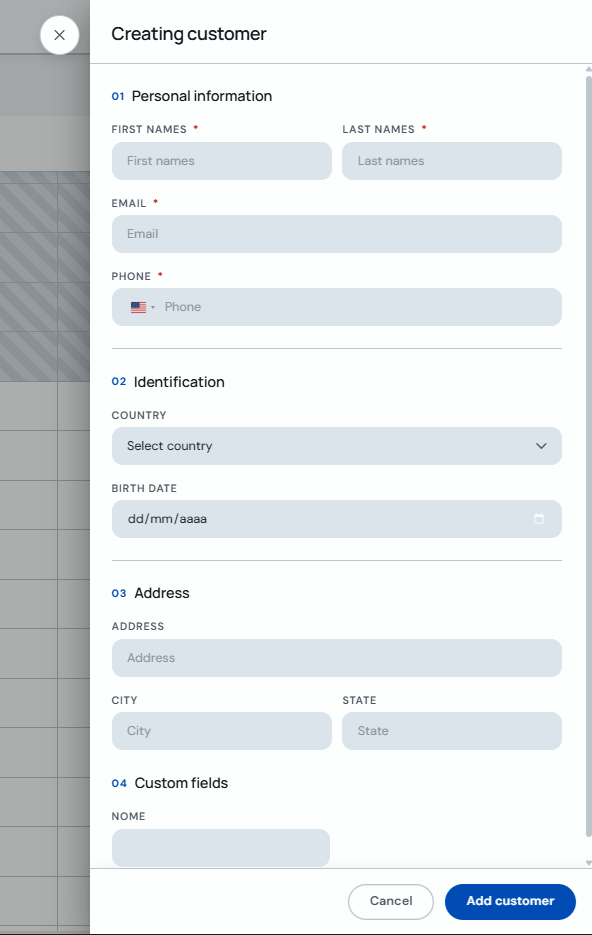
You can also create clients directly when scheduling an appointment — CitaPro saves them automatically.