

Edit a client
You can update an existing client's information without creating a new record.
-
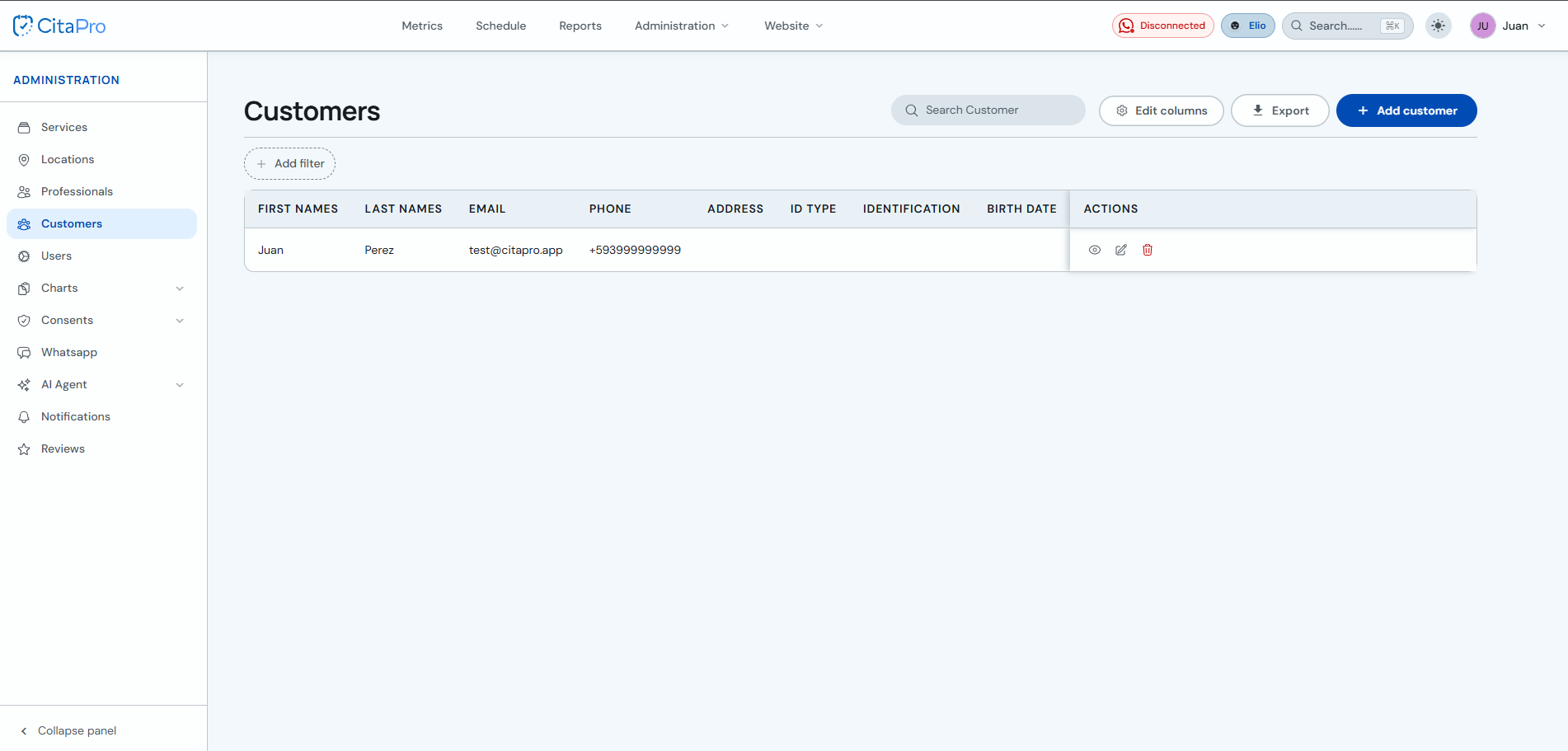
Go to Administration → Clients and find the client you want to edit. Use the search bar if you have many records.
-
In the "Actions" column, click the pencil icon to edit the client's details (the eye icon only opens the profile in read-only mode).

-
Update personal information, identification, address or custom fields and click "Save changes".
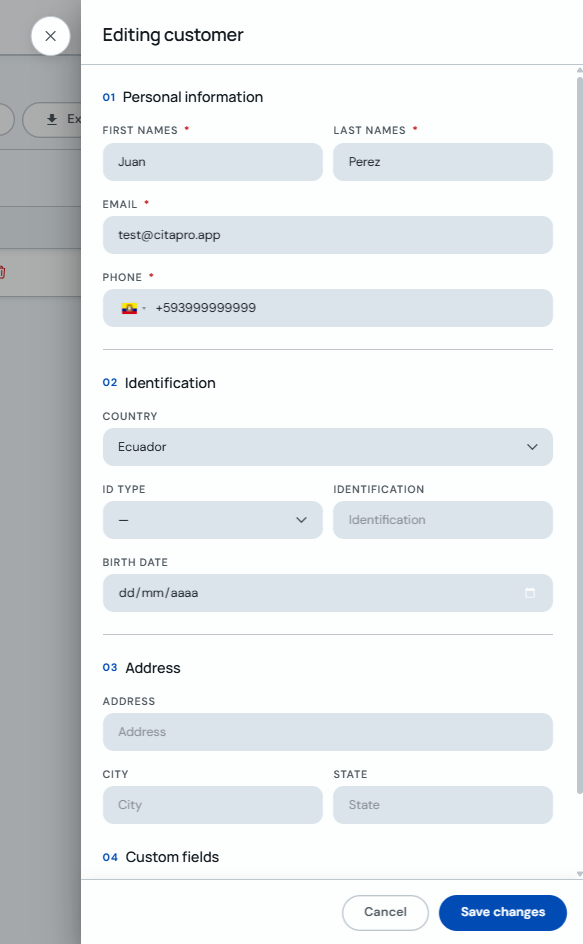
Check phone and email before saving to keep the client's contact details up to date.