

Archive a consent document
You can move a consent document to archived when you no longer use it actively, without deleting it from the system.
-
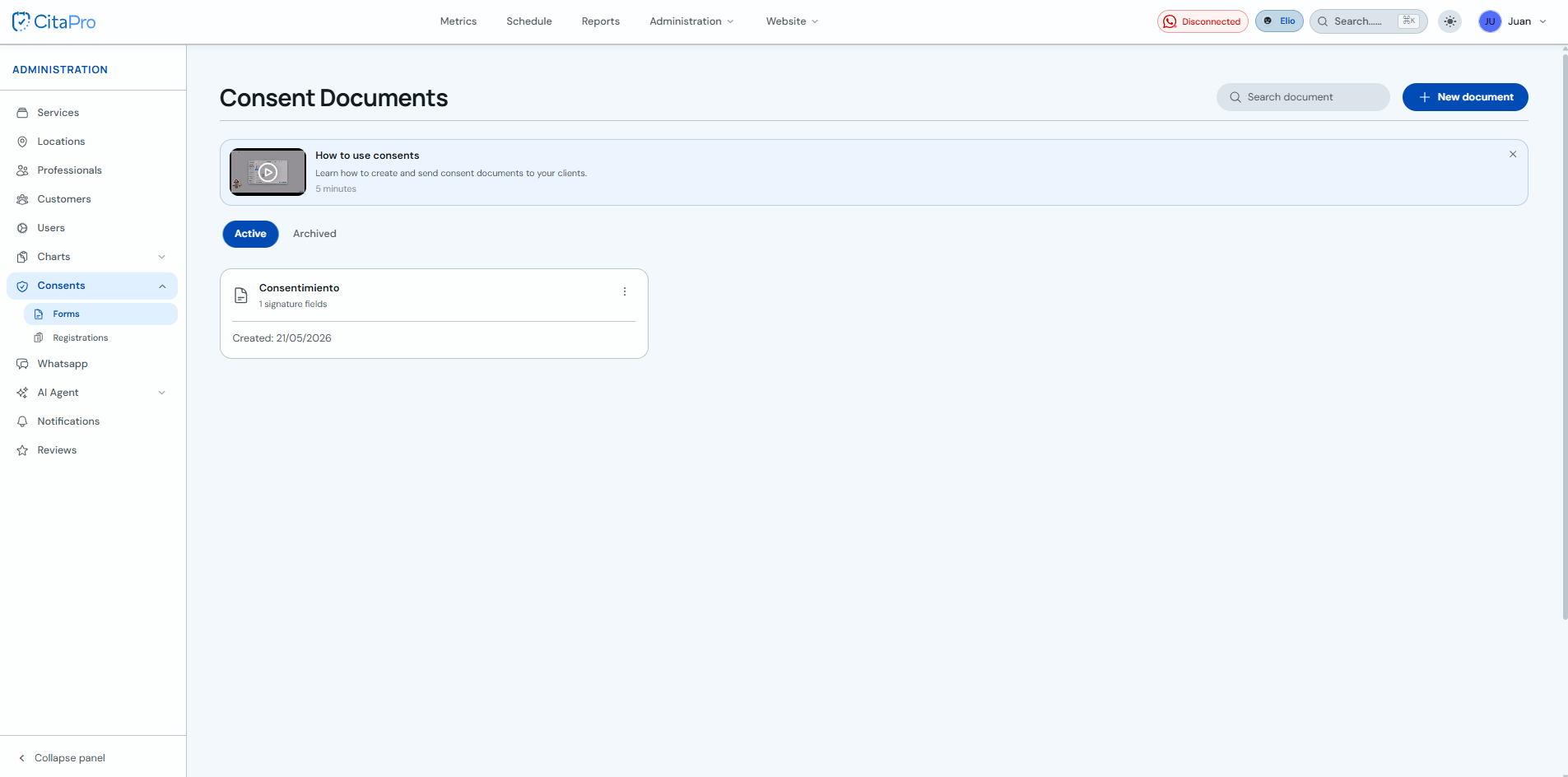
Go to Administration → Consents → Forms and, on the "Active" tab, find the document you want to archive.
-
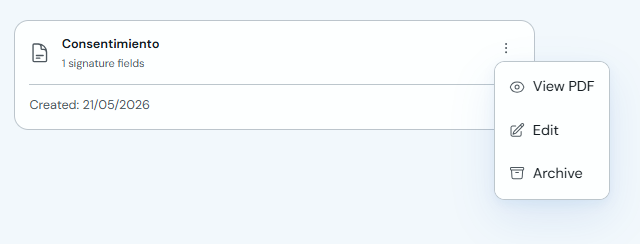
Open the document three-dot menu and click "Archive".
-
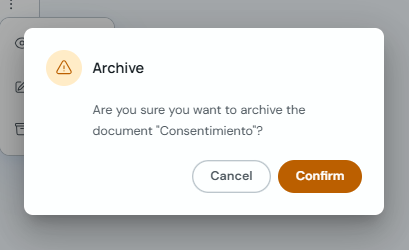
Confirm the action in the "Archive" prompt.
Archived documents remain available on the "Archived" tab if you need to review them later.