

Password change
You can change your password from your profile as long as you still have access to your current account.
-
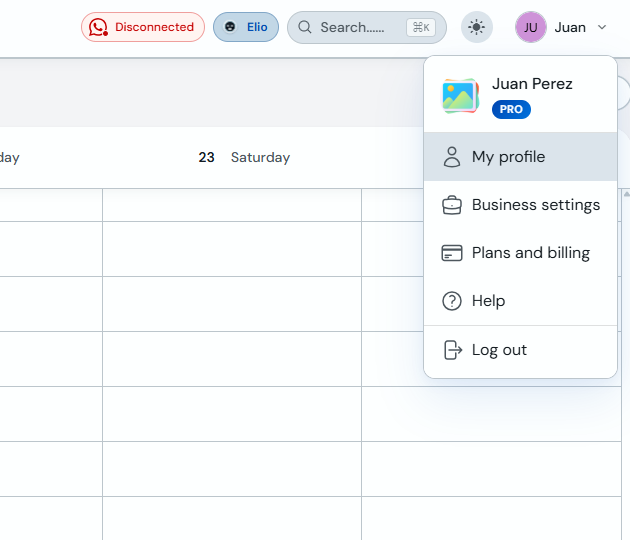
In the top bar, open your user menu and click "My profile".
-
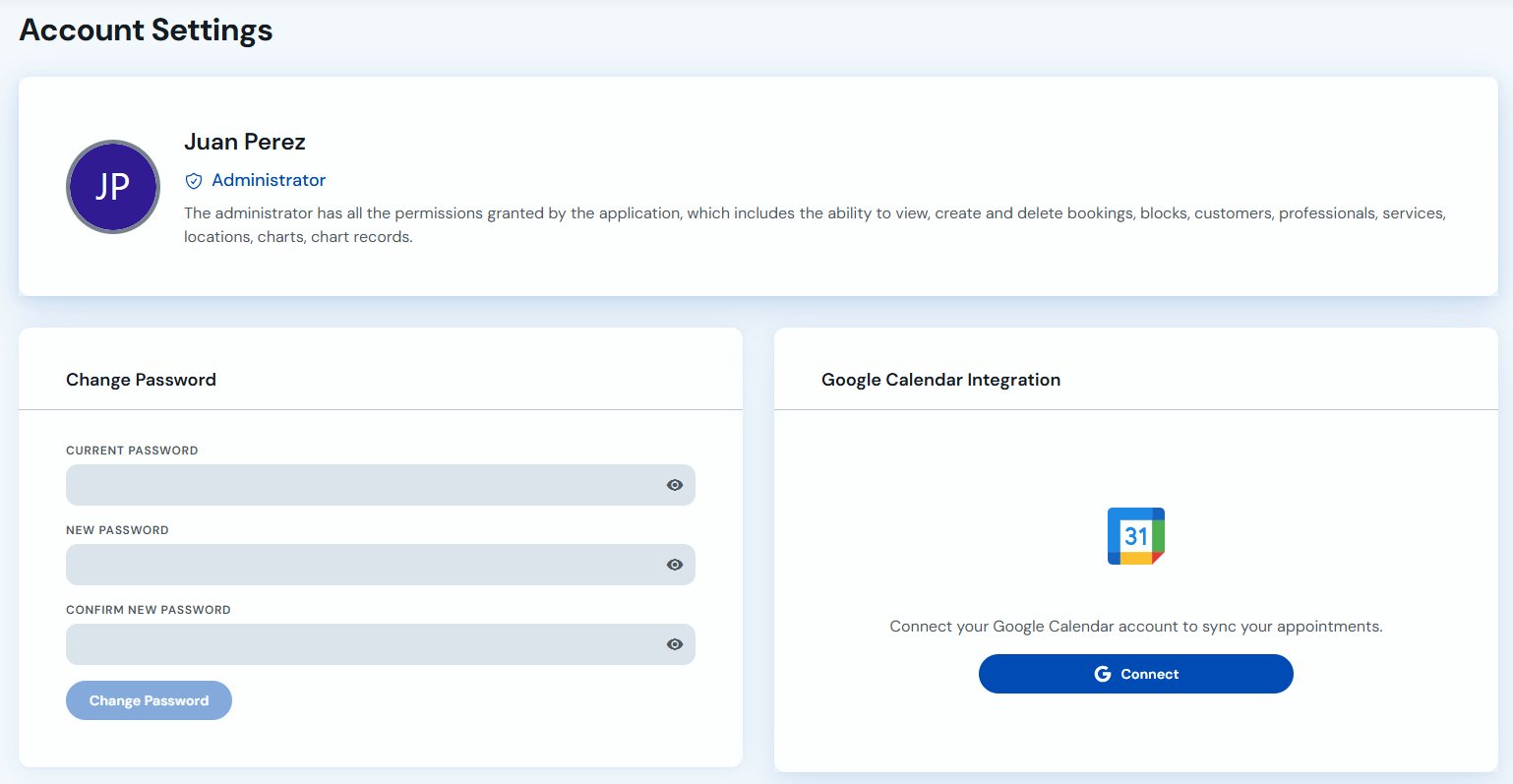
Under "Account settings", enter your current password, type the new password, confirm it and click "Change password".
If you do not remember your current password, use the password reset option from the sign-in screen first.