

Set up your plan
From your account you can review available plans, compare benefits and activate the subscription your business needs.
-
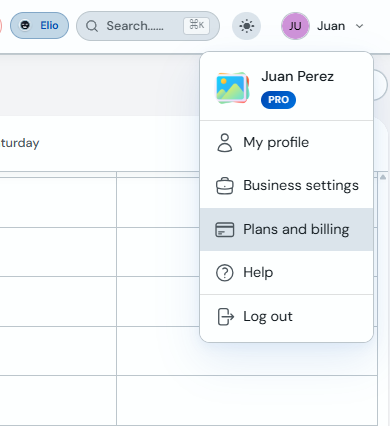
Open your user menu in the top bar and click "Plans and billing".
-
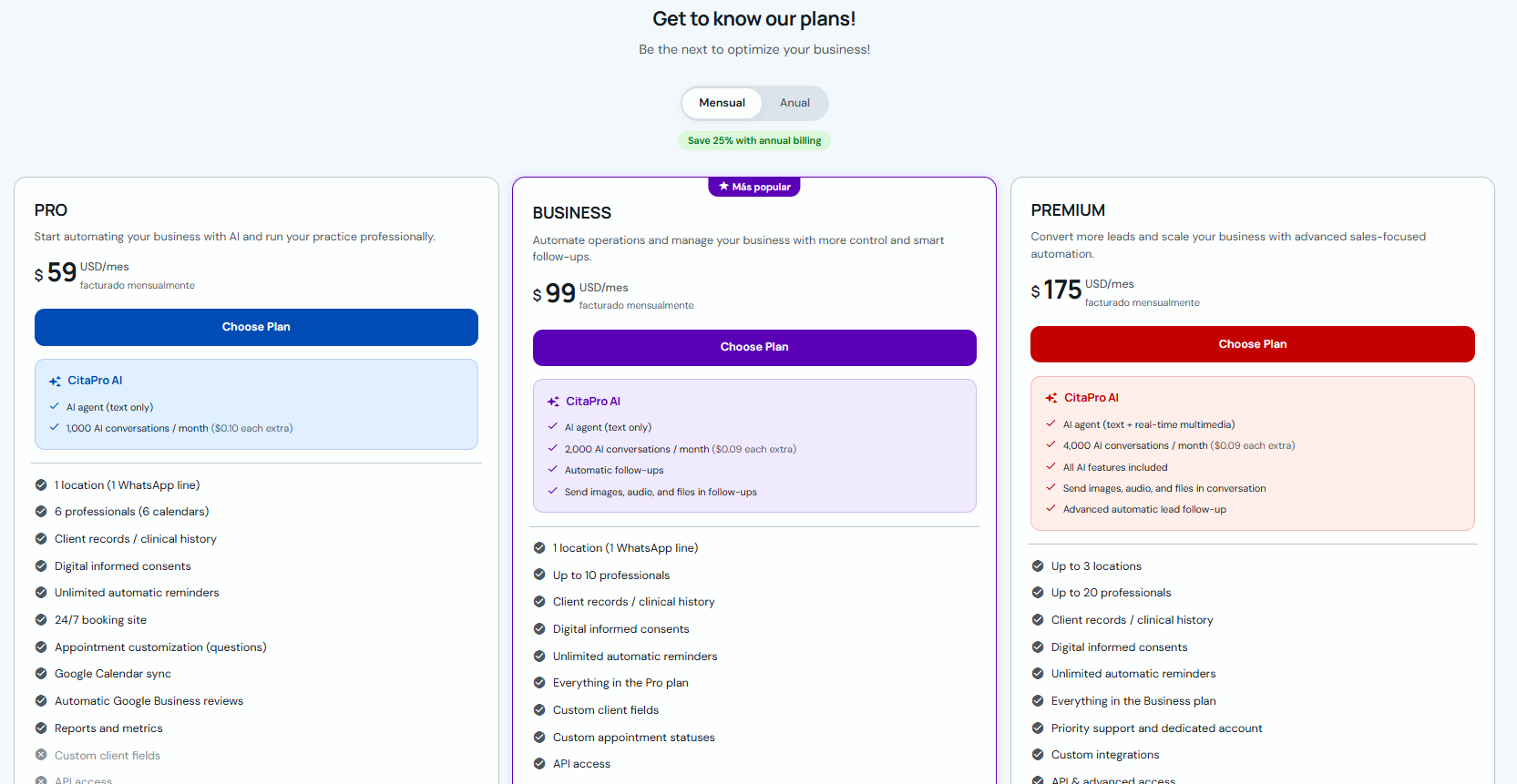
Compare the available plans, choose monthly or annual billing, and click "Choose plan" on the option you prefer.
-
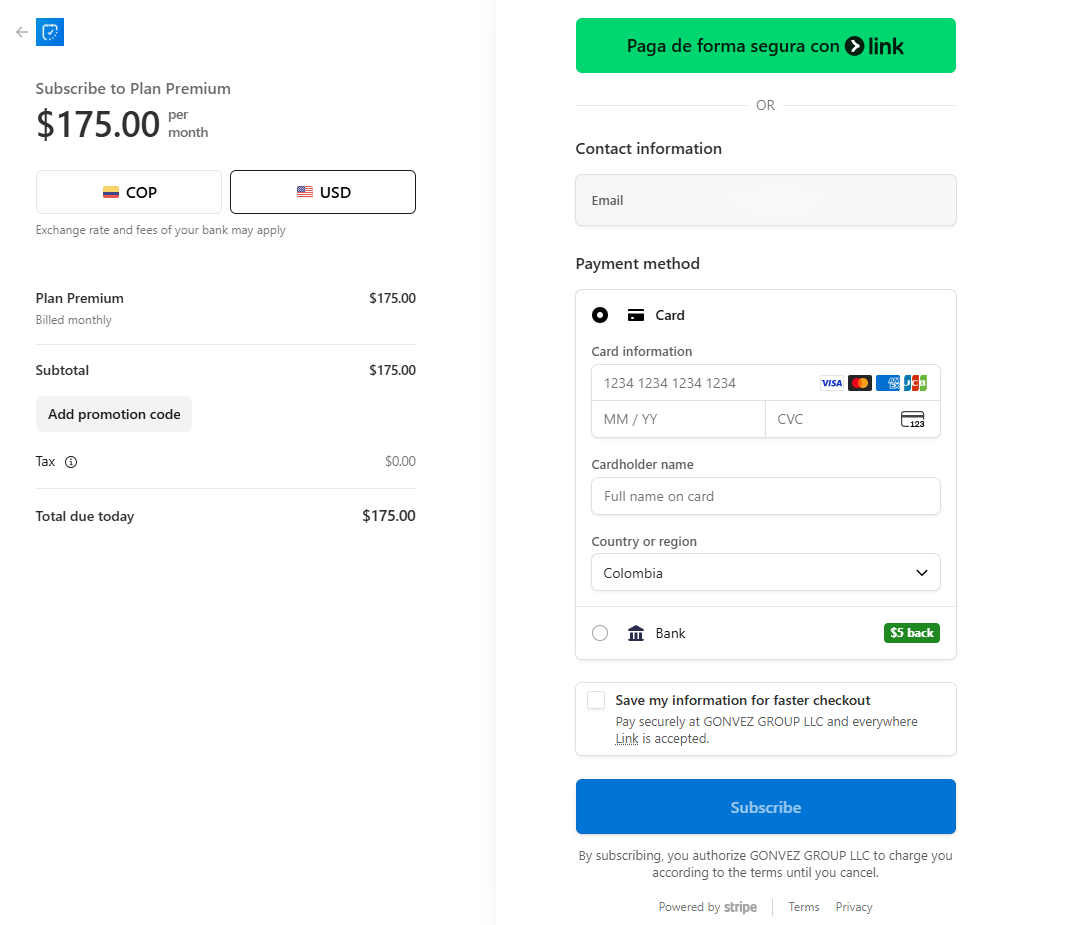
Review the payment summary, select the currency if applicable, complete your contact and payment details, and confirm the subscription.
-
When the subscription is active, you will see the welcome confirmation. Click "Go to my schedule" to return to the dashboard.

Before paying, review the branch, professional, AI feature and reminder limits included in each plan.