

Password reset
If you forgot your password, you can request a reset link from the CitaPro sign-in screen.
-
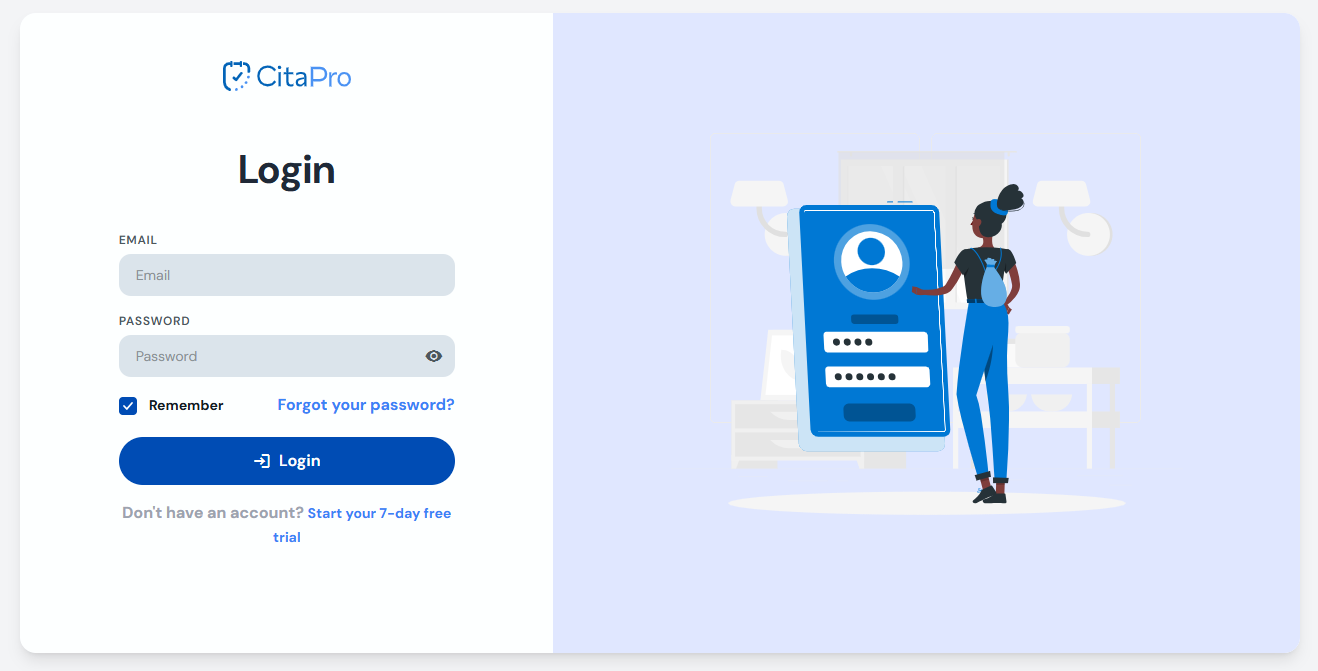
On the sign-in screen, click "Forgot your password?".
-
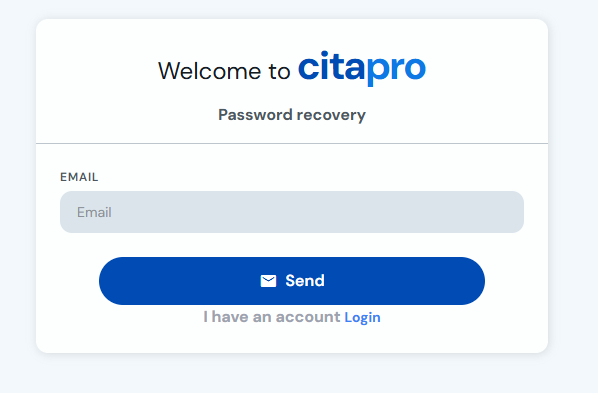
Enter your account email address and click "Send".
-
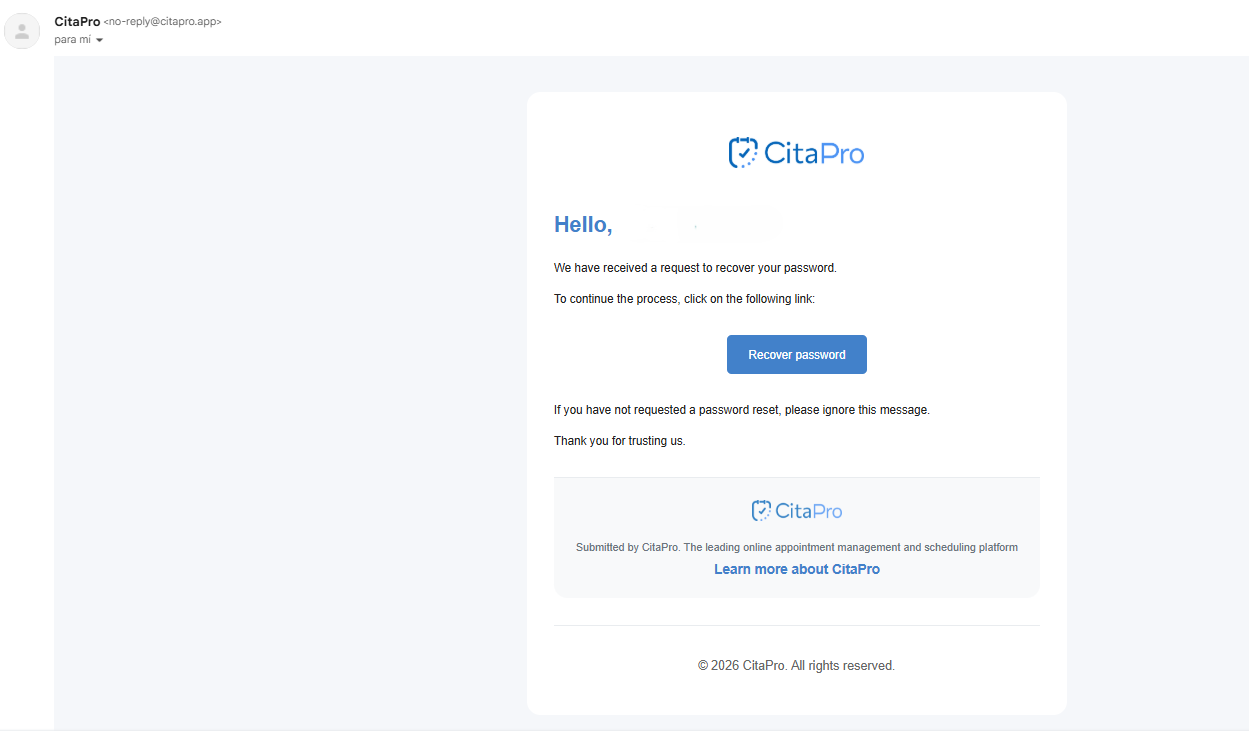
Check your inbox and open the CitaPro email. Click "Reset password" to continue.
-
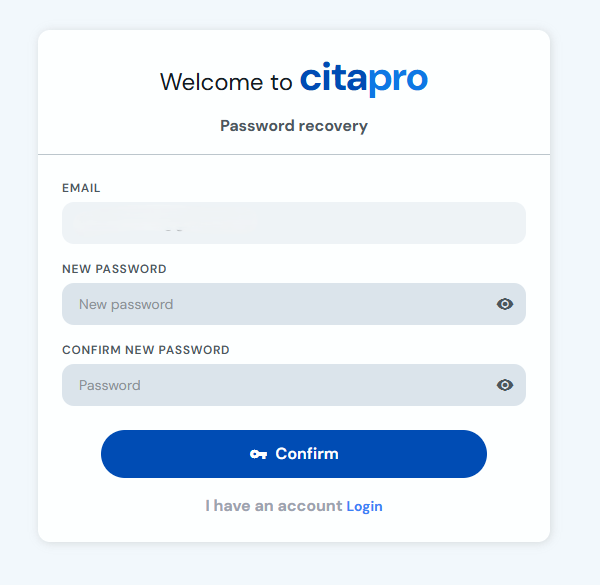
Enter your new password, confirm it and click "Confirm". Then sign in with the new password.
If you cannot find the email, check your spam or junk folder before requesting another link.