

Client custom fields
Define additional information for your clients in the app, booking page and AI agent. This feature is available starting from the Business+ plan.
-
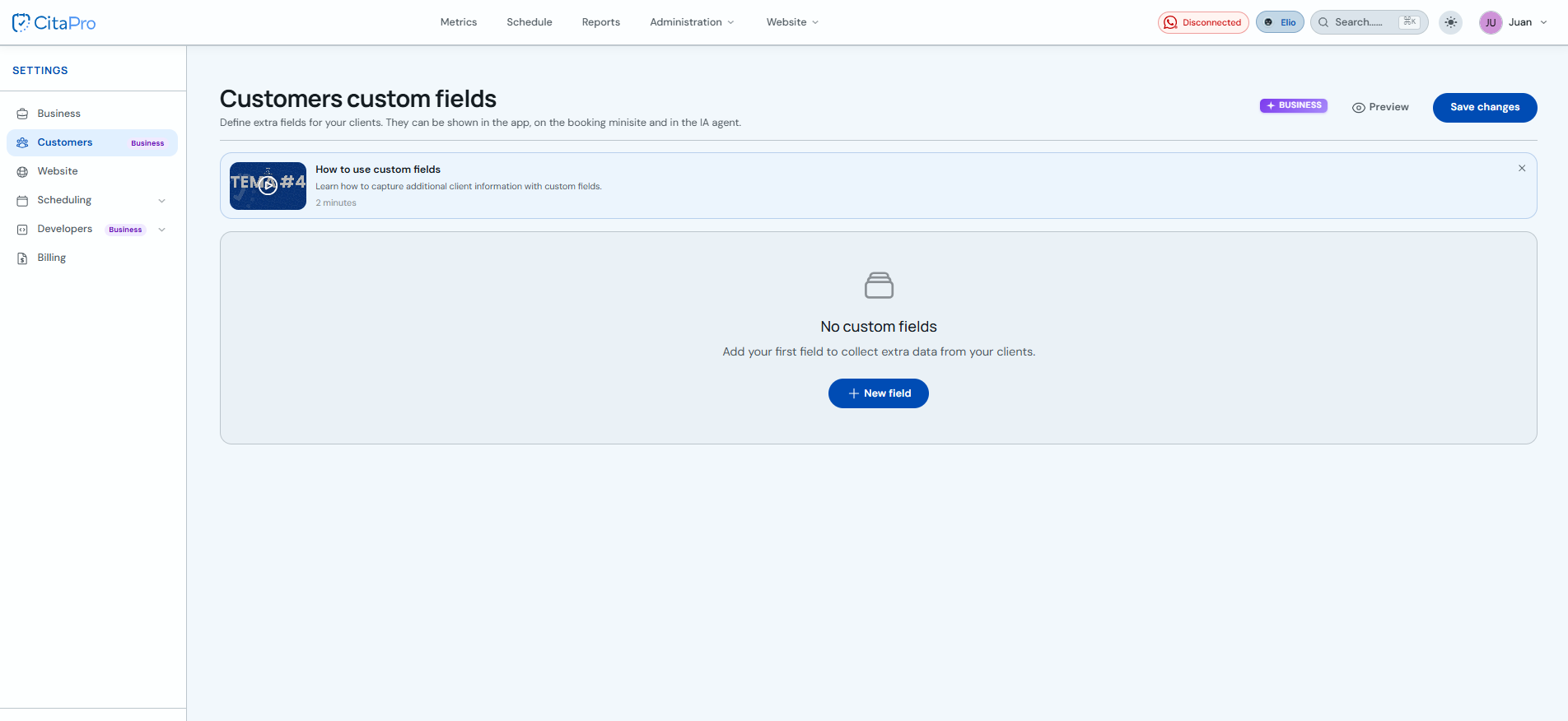
Go to the Clients section and open "Client custom fields". Click "+ New field".
-
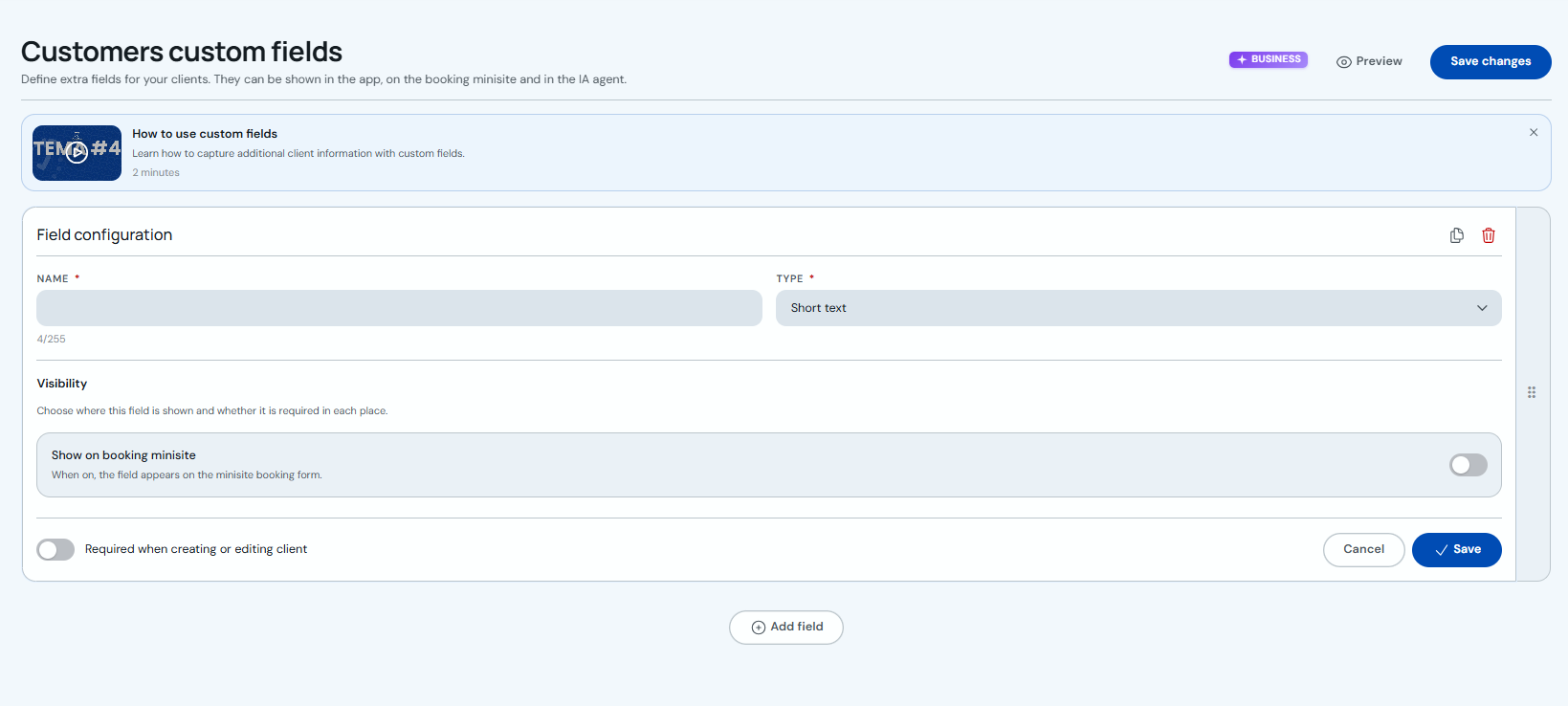
Configure the field: enter the name, choose the type and set whether it shows on the booking minisite or is required when creating or editing a client. Save the field with the card's "Save" button.
-
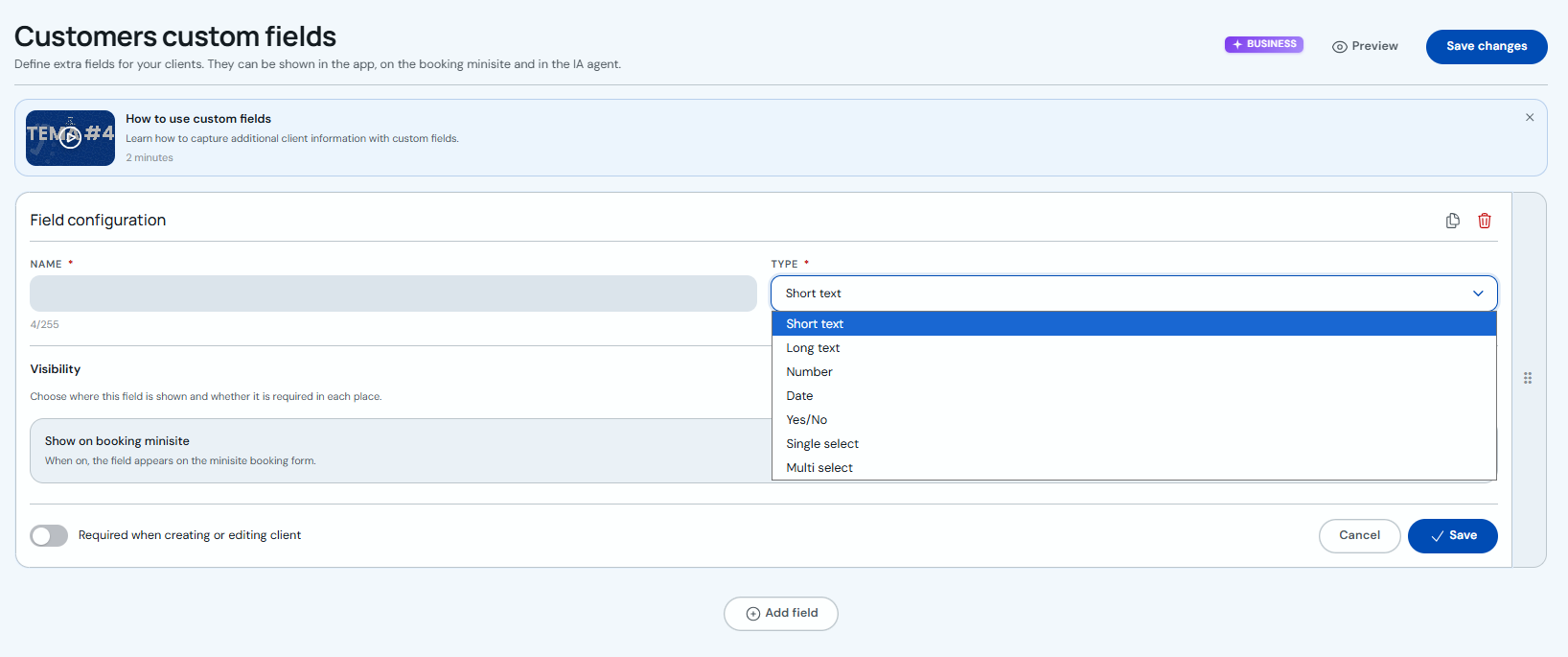
Under "Type" you can choose short text, long text, number, date, yes/no, single or multiple choice.
-
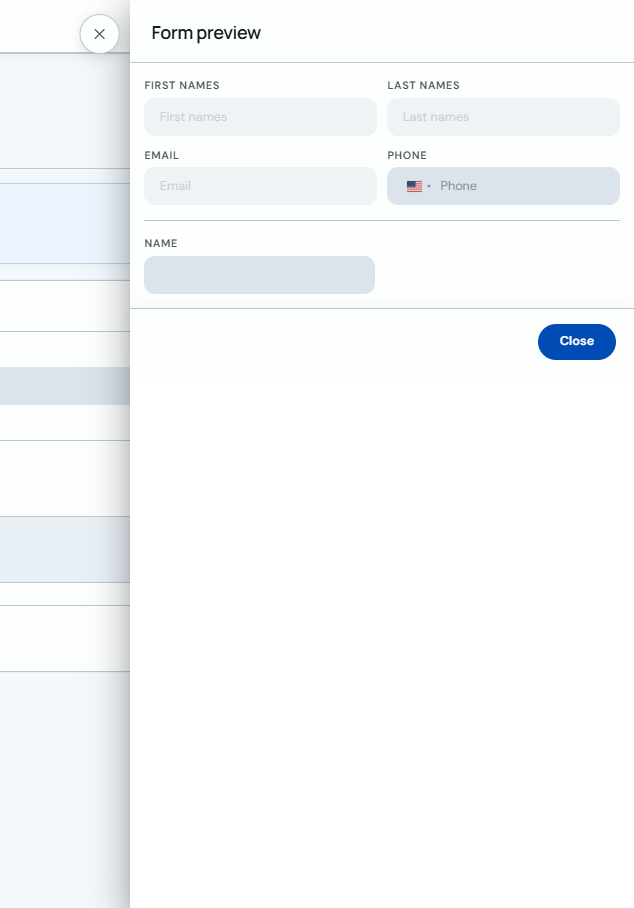
Click "Preview" to see how the form will look with standard and custom fields.
-
You can add as many fields as you need with "+ Add field". When finished, click "Save changes" (top right).
Custom fields can also appear on your booking minisite and be used by the WhatsApp AI agent.