

Automated follow-up performance
In the statistics tab you can measure which follow-ups generate more replies and recovered bookings. This feature is available from the Business+ plan onwards.
-
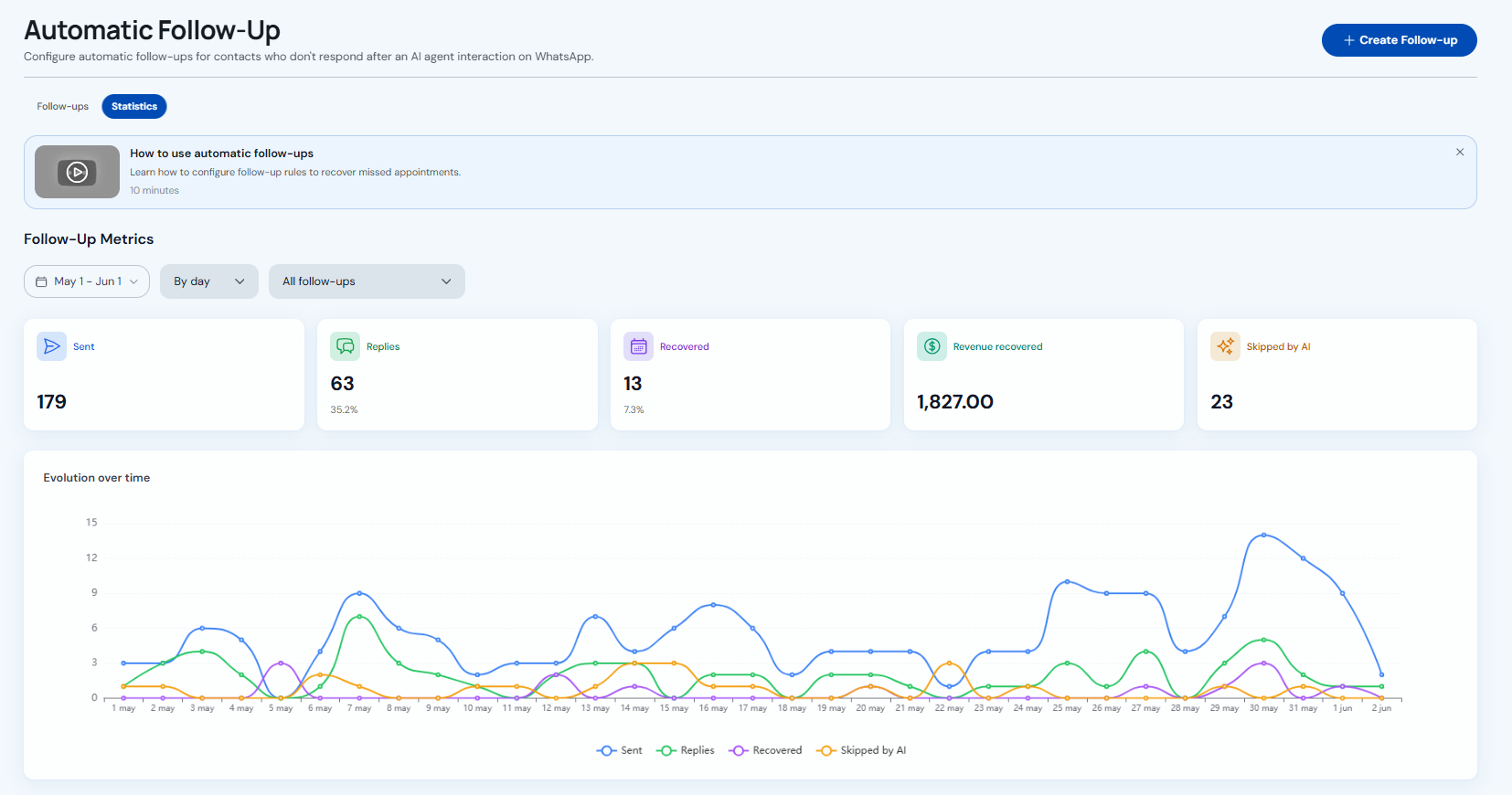
Go to Administration → AI Agent → Follow-up → "Statistics". Pick dates, grouping (daily or weekly) and optionally one follow-up. The cards show Sent, Replies (%), Recovered (%), Recovered revenue and Skipped by AI; the "Over time" chart tracks those numbers day by day.
-
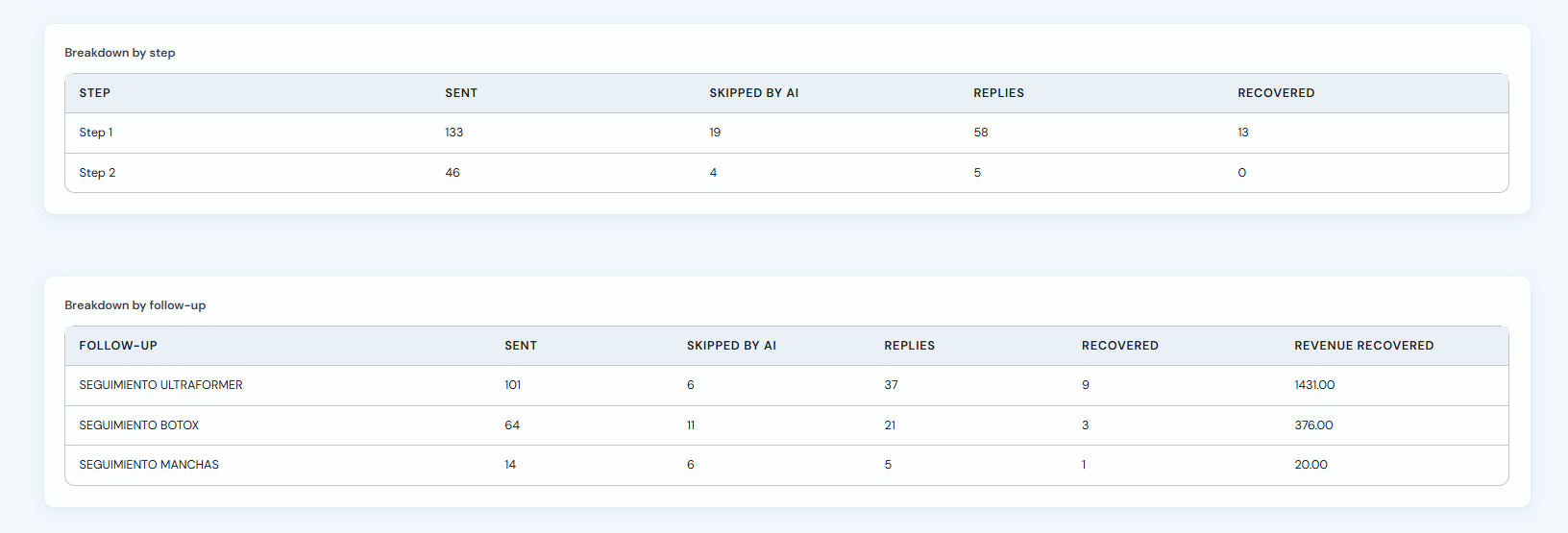
"Breakdown by step" shows which message in the sequence works best (Step 1, Step 2…). "Breakdown by follow-up" compares each campaign: sends, replies, recovered bookings and recovered revenue.
-
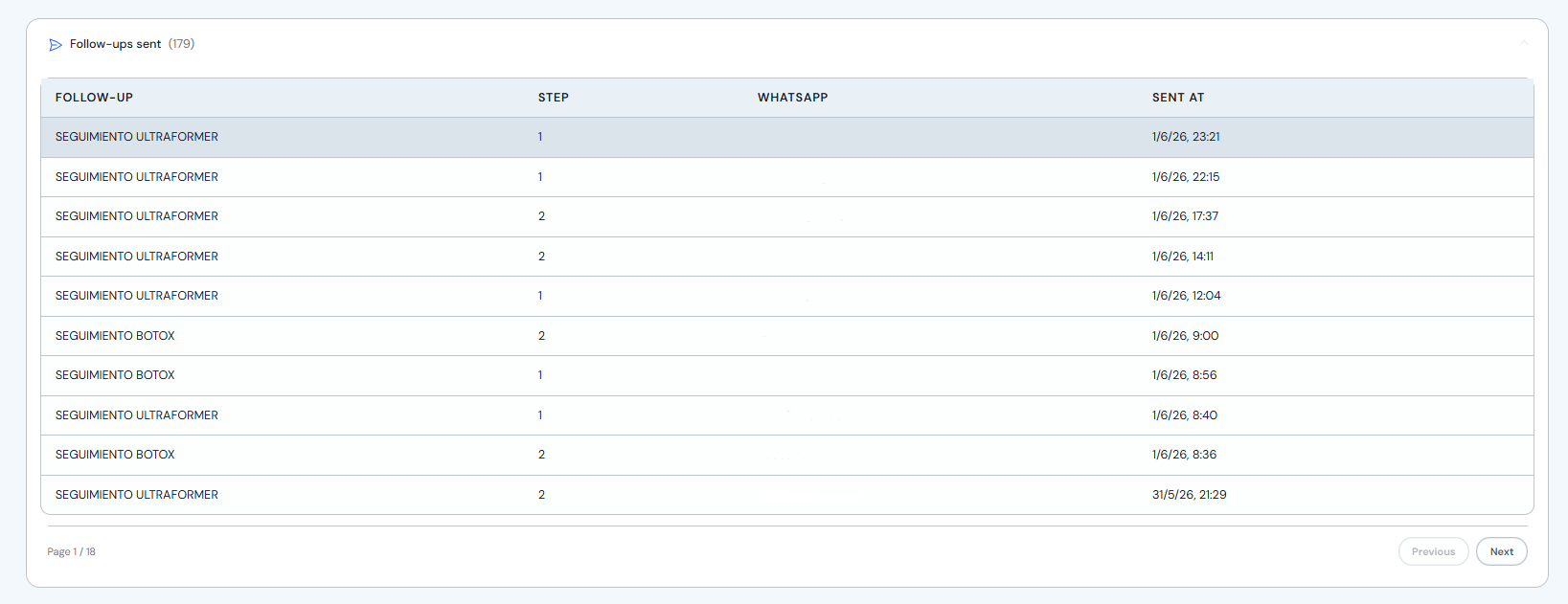
"Sent follow-ups" lists every message sent: follow-up name, step and date/time — useful to audit what went out on WhatsApp.
-
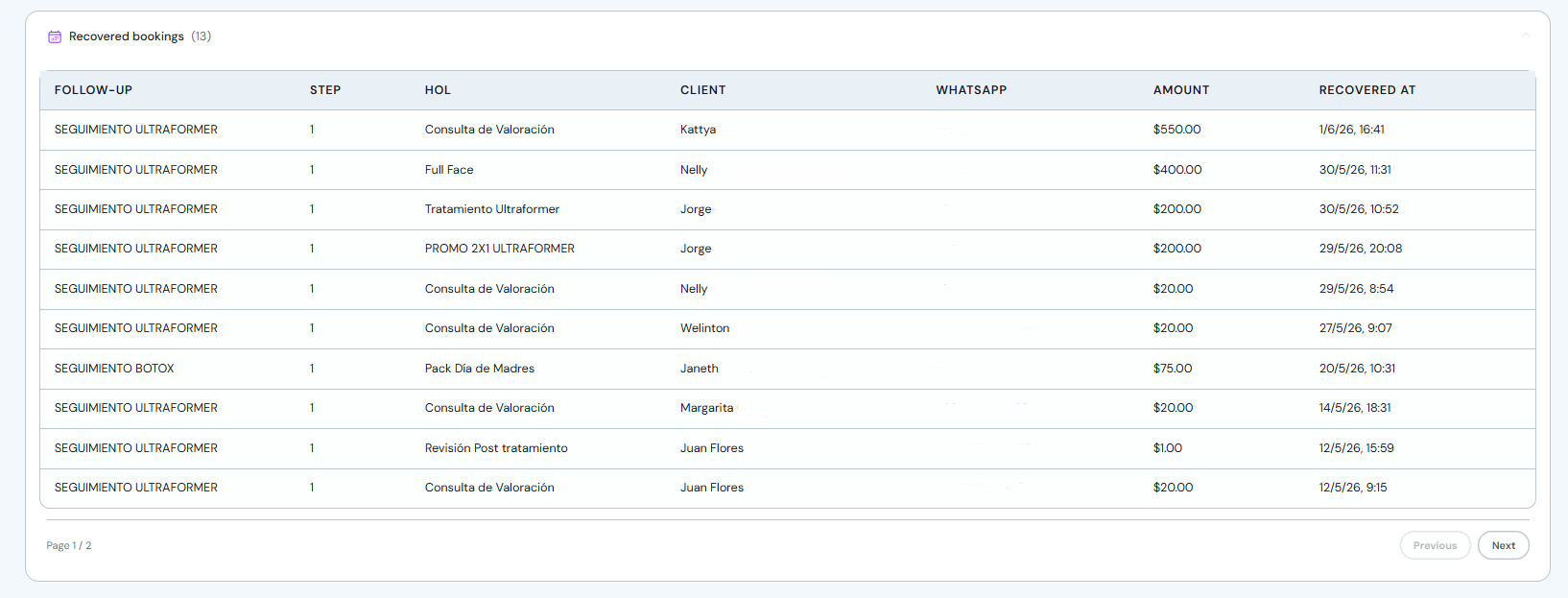
"Recovered bookings" shows won appointments: service, client, amount and recovery date.
-
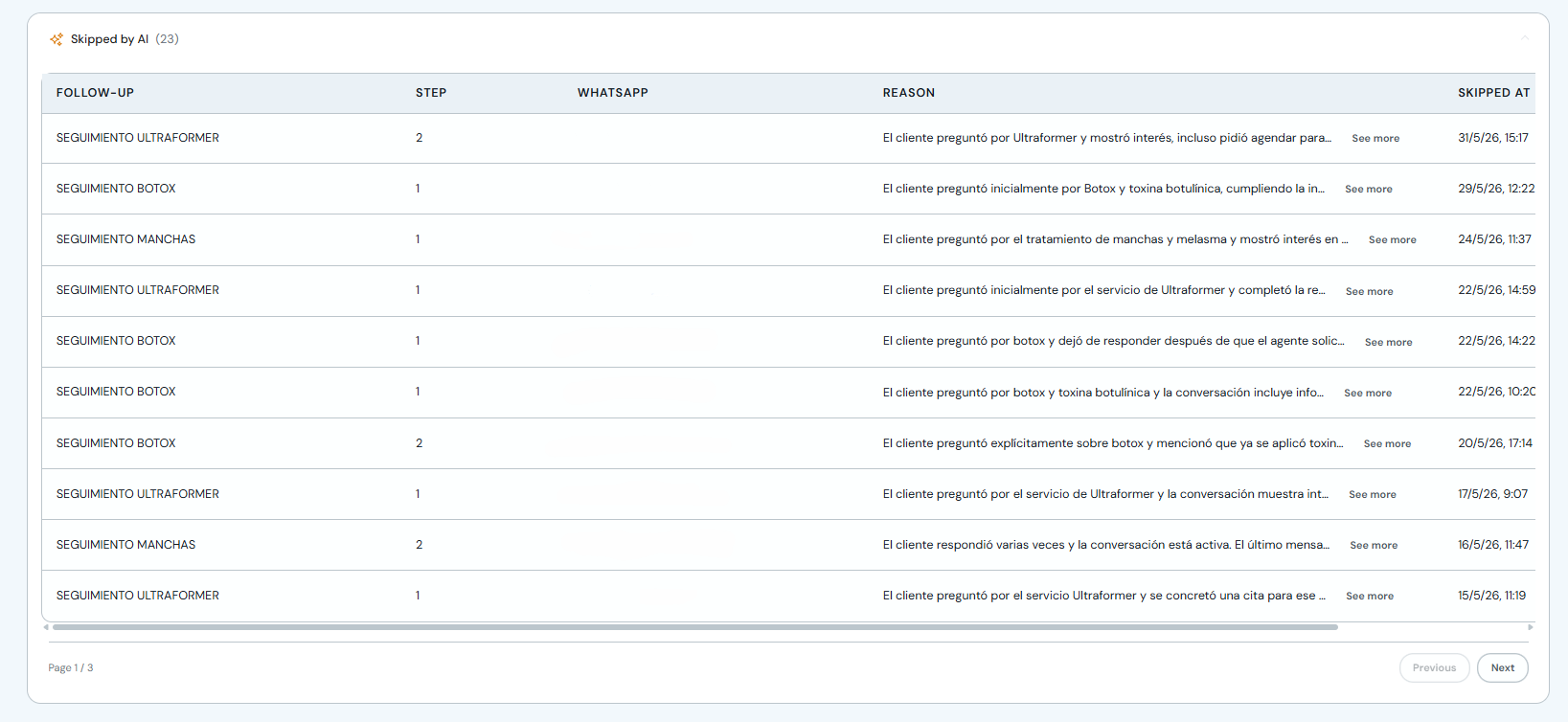
"Skipped by AI" lists messages the agent did not send and why. Click "See more" for the full reason; if the skip was wrong, update the follow-up instruction.
Start with "Breakdown by step" to see whether Step 1 or Step 2 performs better. Check "Skipped by AI" before changing wait times or message wording.